

Before reading this article, I highly recommend reading my previous parts.
- Getting Started With ASP.Net MVC
- First ASP.Net MVC 5.0 Application
- How to Publish ASP.Net MVC on IIS MVC 5.0: Part 3
- How to Publish ASP.Net MVC 5.0 Application on Windows Azure: Part 4
- ASP.NET MVC 5.0 Views (Dynamic/Strongly Typed Views) - Part 5
From ASP.Net MVC 2.0 Microsoft provided a new feature in MVC applications, Areas. Areas are just a way to divide or “isolate” the modules of large applications in multiple or separated MVCs. like.
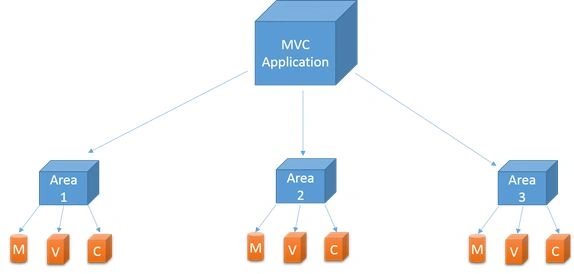
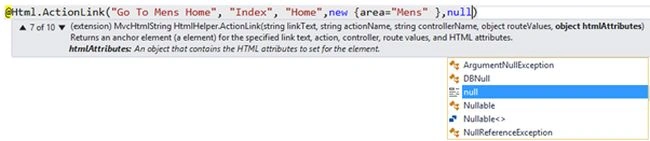
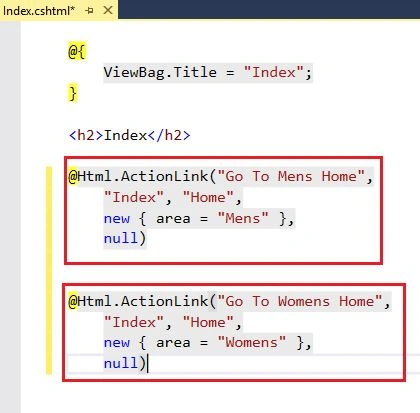
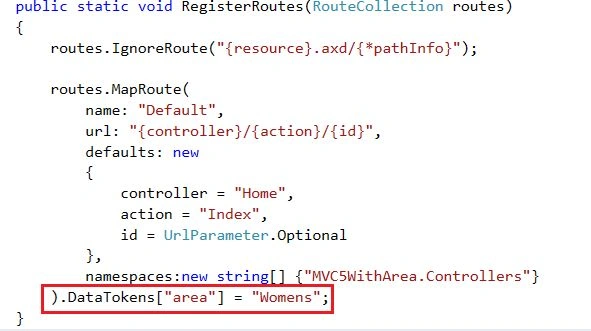
When you add an area to a project, a route for the area is defined in an AreaRegistration file. The route sends requests to the area based on the request URL. To register routes for areas, you add code to the Global.asax file that can automatically find the area routes in the AreaRegistration file.
Area Registration.RegisterAllAreas();
Benefits of Area in MVC
- Allows us to organize models, views, and controllers into separate functional sections of the application, such as administration, billing, customer support, and much more.
- Easy to integrate with other Areas created by another.
- Easy for unit testing.
How to create an Area in ASP.Net MVC 5?
I have an ASP.Net MVC 5.0 Application with a default Home controller and Index action with their view also, see the solution of the project.
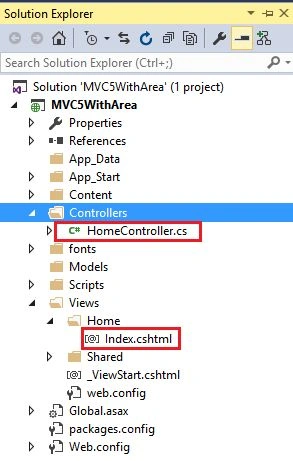
And now I need to use an area in that application, so let's see how to add one.
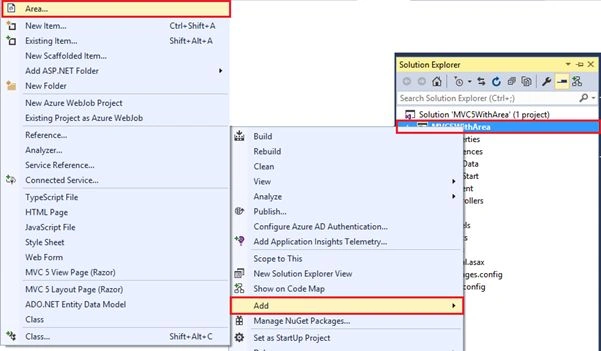
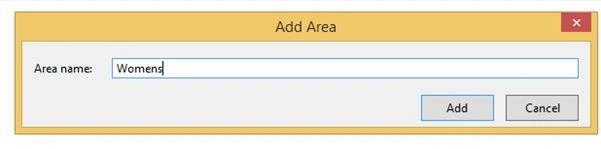
Right-click on the Project then select Add -> Area.
Give a name for what you want to add. Assume I am creating a website for online shopping and I have two modules, one for each of men and women so I'll add two areas for men and women.

First Area For Men.
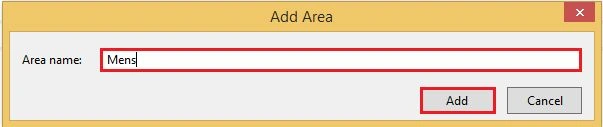
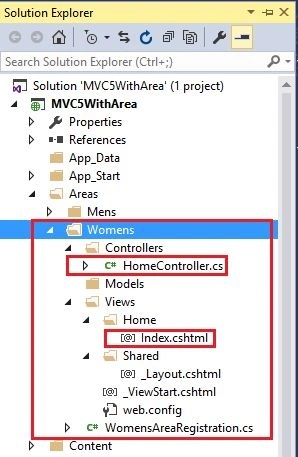
It'll add a folder for the name Area and that has all the folders for Model, View, and Controller.
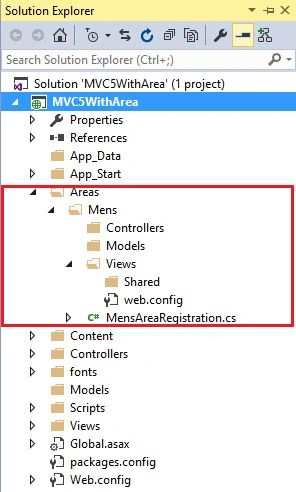
Now add a Controller in the Men's area.
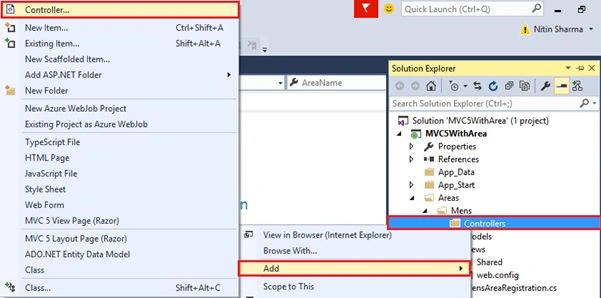
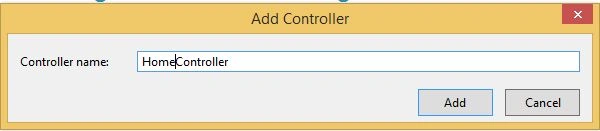
Write the name of the Controller.
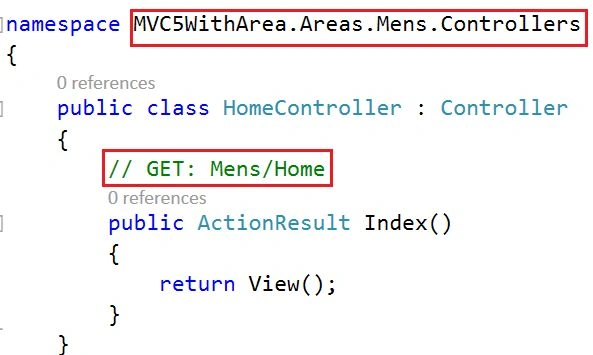
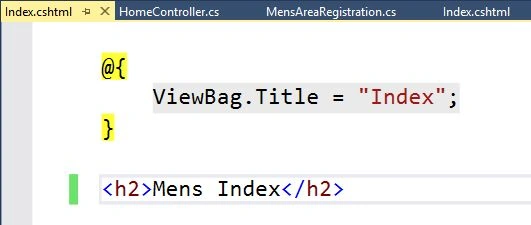
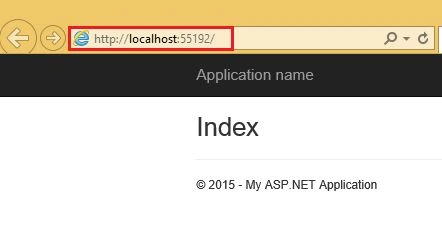
It has a default Action with the name of the Index.

Gokhan CevikPosted Aug 3, 2020, 11:13 AM
You are amazing thanks you so much. you saved my a lot of times :)
Chandrakant PatilPosted Mar 8, 2019, 8:15 PM
Very good explained
linh tienPosted Nov 9, 2018, 9:26 PM
Hi Nitin Pandit, Can I use this article for separate 3 type of user: Seeker, Recruiter, Admin. Current, when login or registry, my system redirect to only the Admin page :(. I'm finding the best solution. P/s: I'm working with a project about recruitment. I'm using Owin.Security in MVC5.
Jitendra KumarPosted Feb 14, 2018, 10:05 AM
Perfect article...
Jyoti KumariPosted Aug 18, 2017, 1:42 AM
Great example sir.........
Er Pratap JadhwarPosted Jul 30, 2017, 10:07 AM
Nice Explanation....
Pradeep SahooPosted May 18, 2016, 12:49 PM
Good share...........
Humayun Kabir MamunPosted Mar 5, 2016, 11:14 PM
Nice...
Amit Kumar SinghPosted Feb 20, 2016, 7:02 AM
Nice one
Ehsan SajjadPosted Feb 20, 2016, 4:59 AM
Good example
Rupali ShindePosted Oct 15, 2015, 12:21 AM
good :)
Rahul Kumar SaxenaPosted Sep 6, 2015, 7:56 AM
Chhers ! Nitin Pandit bro.. Article Of the Day
Nitin PanditPosted Aug 4, 2015, 6:44 AM
thanks to all for reading my post :)
Michal HabalcikPosted Aug 3, 2015, 2:19 AM
Thanks for sharing, nice intro to MVC areas
Neeraj KumarPosted Aug 2, 2015, 11:13 AM
Great Article
Afzaal Ahmad ZeeshanPosted Aug 2, 2015, 6:43 AM
Helpful post.
Rajeesh MenothPosted Aug 2, 2015, 5:23 AM
Good One sir
Sibeesh VenuPosted Aug 2, 2015, 4:01 AM
Nice Share. Thank you
Gopi ChandPosted Aug 2, 2015, 2:54 AM
Great presentation sir :)
Santhakumar MunuswamyPosted Aug 2, 2015, 2:27 AM
Good work. Thanks for sharing
RakeshPosted Aug 2, 2015, 1:05 AM
Good Explain
Abhishek JaiswalPosted Aug 2, 2015, 12:46 AM
Superb, enjoyed reading! :)