

Introduction
Microsoft Windows 10 is a new and out of the box chapter in the story of Operating systems. It introduces a whole new way the operating system resides and works. Firstly, this chapter was initiated in the Microsoft Operating system version 8.1, but in windows 10 it is implemented fully and truly.
We all know that the new era is an era of electronic devices that works very closely with the human being and works as an assistant, doctor, consultant and we can assign many roles to the new generation devices. It is very essential to have one operating system for all devices so that consumers can operate the different families of devices with common data and data between the devices can be shared across.
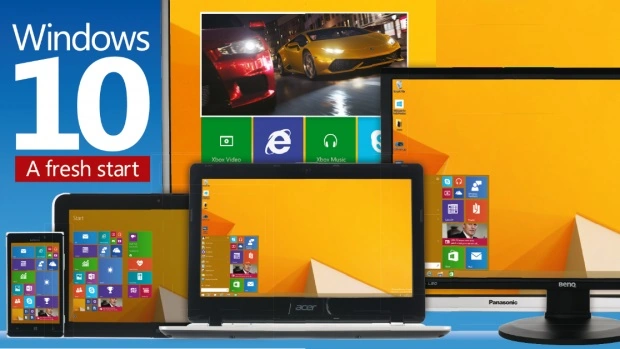
Microsoft introduced Windows 10 that is common for different device families and shares the information between the devices as well as with Microsoft. Now the issue arises with the privacy and the security in windows 10 operating system. As a new customer or a new user of the Microsoft smart windows 10 operating system, we must know some of the basic settings that need to be done that are essential for your privacy.
Change privacy settings in Windows 10
Applies to Windows 10
- Choose how much information you want to share with Microsoft by changing your privacy settings.
- On the Start menu, select Settings, then Privacy.
- You'll see a list of general privacy options. There are links to specific privacy settings on the left of the page.
Now, some important settings you must check after installing Windows 10 in your device step by step.
Step 1
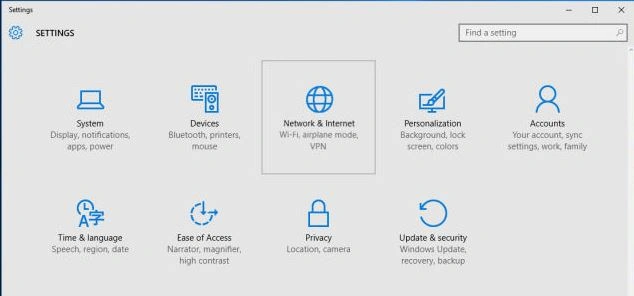
Go to settings that look like the following image.
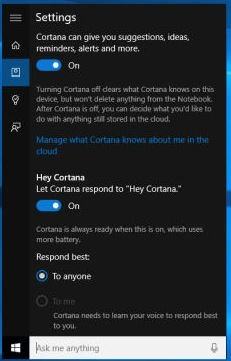
Activate (or deactivate) Cortana
Check your default app associations

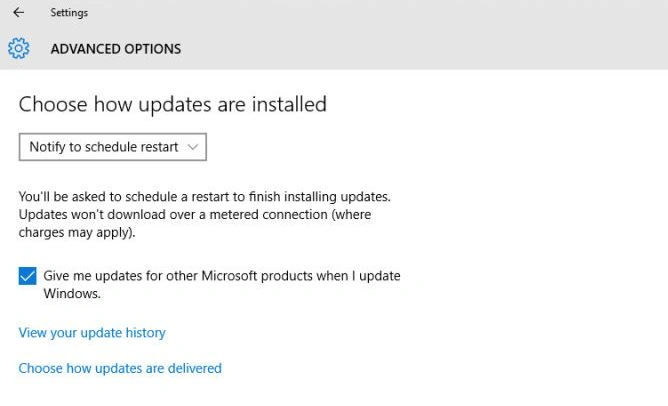
Schedule restarts
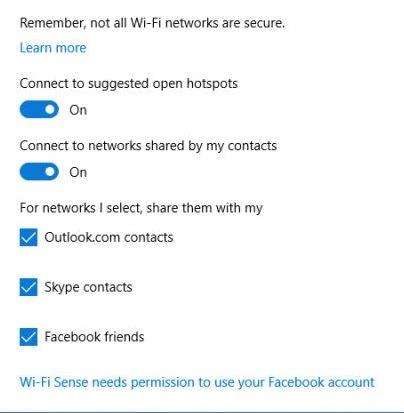
Stop sharing your wifi
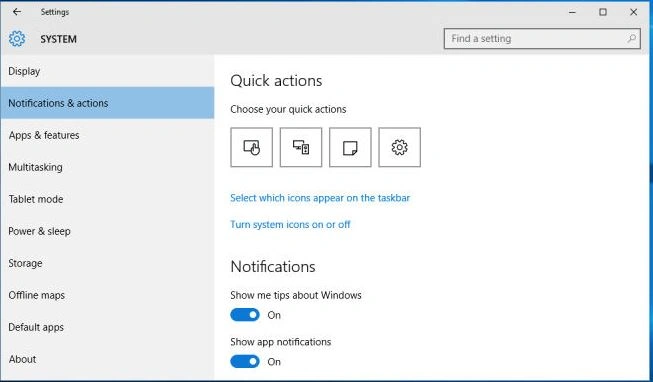
Tweak notifications
Thanks for reading this article. I hope it will be beneficial for you.
Summary
In this article, we learned about Windows 10 Tweaks.
Priyaranjan K SPosted Oct 21, 2015, 1:17 PM
Good Work
Vipan SharmaPosted Oct 15, 2015, 4:21 AM
nice work sir
Sumit JoshiPosted Sep 28, 2015, 1:07 AM
Thanks Santhakumar Munuswamy
Sumit JoshiPosted Sep 28, 2015, 1:07 AM
Thanks Ankit Bansal
Santhakumar MunuswamyPosted Sep 26, 2015, 12:21 PM
Nice share
Ankit BansalPosted Sep 25, 2015, 1:10 AM
nice...thanks for sharing
Sumit JoshiPosted Sep 24, 2015, 2:59 PM
Thanks Nilesh Jadav
Nilesh JadavPosted Sep 24, 2015, 11:55 AM
Nice worksir
Sumit JoshiPosted Sep 24, 2015, 6:35 AM
Thanks Gopi Chand
Gopi ChandPosted Sep 24, 2015, 4:56 AM
Well written :)
Sumit JoshiPosted Sep 24, 2015, 3:05 AM
Thanks Harshad Pansuriya
Harshad PansuriyaPosted Sep 24, 2015, 2:56 AM
Nice One
Sumit JoshiPosted Sep 24, 2015, 2:27 AM
Thanks Rajeesh Menoth
Rajeesh MenothPosted Sep 24, 2015, 2:24 AM
Thanks for sharing..
Sumit JoshiPosted Sep 24, 2015, 2:20 AM
Thanks Sibeesh Venu
Sumit JoshiPosted Sep 24, 2015, 2:20 AM
thanks @Siddarth Pathak
Sumit JoshiPosted Sep 24, 2015, 2:19 AM
Thanks Sujeet Suman
Sibeesh VenuPosted Sep 24, 2015, 2:17 AM
Nice Share
Siddarth PathakPosted Sep 24, 2015, 2:07 AM
nice.
Sujeet SumanPosted Sep 24, 2015, 1:49 AM
Nice Article..................