
Introduction : An Exception is an event which occurs during the execution of program, that disrupts the normal flow of the programs' instructions. When an error occurs within a method, the method creates an object and hands it off to the runtime system. The object, called an exception object, contains information about the error, including its type and the state of the program when the error occurred. Creating an exception object and handing it to the runtime system is called throwing an exception.
How to create FlowDecision activity:
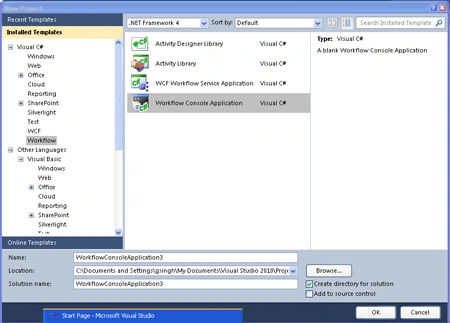
Step : 1 Open Visual Studio->File ->right-click.
- Select New->Project option.
- Select Workflow Console Application.
Define Class :
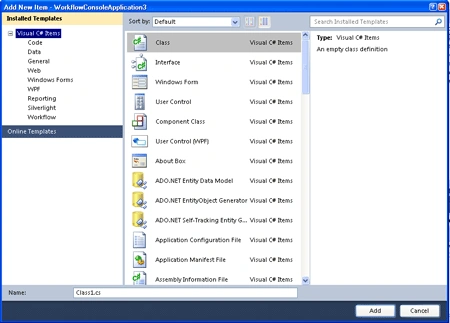
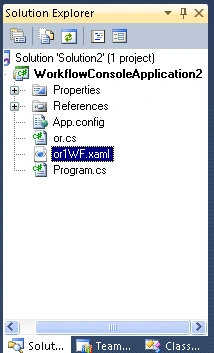
Step : 2 Go to Solution Explorer and right-click.
- Select->Add->New Item.
- Select Class.
- Write a code.
Code :
using
System;
using
System.Collections.Generic;
using
System.Linq;
using
System.Text;|
namespace
WorkflowConsoleApplication2
{
public class
or1item
{
public int
item { get; set;
}
public int
quantity { get; set;
}
public string
code { get; set;
}
public string
description { get; set;
}
}
public class
or
{
public or()
{
item = new
List<or1item>();
}
public int
id { get; set; }
public string
description { get; set;
}
public decimal
weight { get; set;
}
public string
shippingMethod { get; set; }
public List<or1item>
item { get; set;
}
}
public class
STOCKException:Exception
{
public STOCKException():base()
{
}
public STOCKException(string
message):base (message)
{
}
}
}
Design the Workflow.
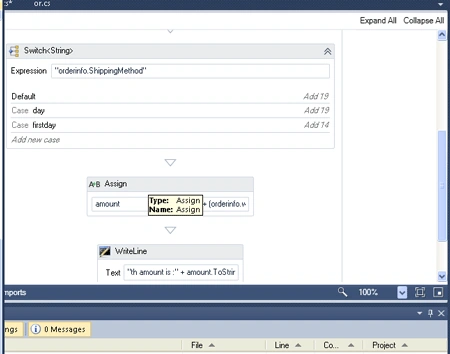
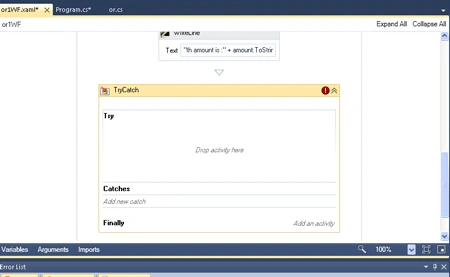
Step : 3 Go to Workflow.xaml option.
- Select View Designer.
- Drag activity from Toolbox.
- Drag Sequence, Assign, WriteLine, Switch<T>activity.
Step : 4 Go to Solution Explorer and right-click
- Select Workflow1.xaml ->View code.
- Write the below code.
Code :
Join the conversation! Your thoughts help the community grow.