
Introduction
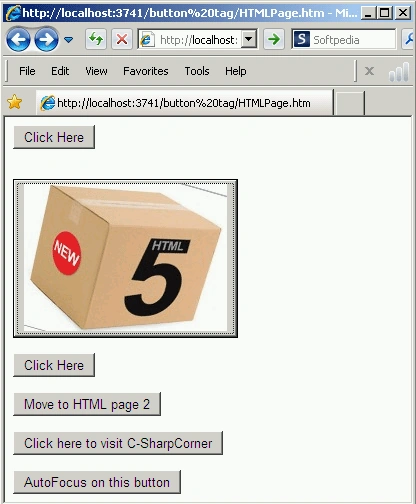
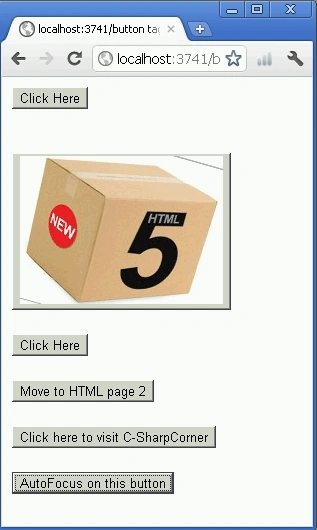
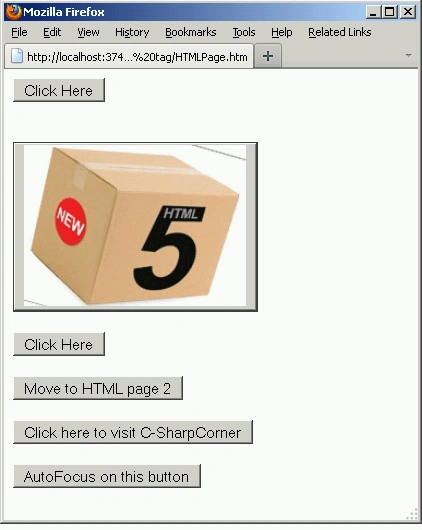
The HTML5 <button> tag is used for creating a rich button control that may contain arbitrary content to enlarge or increase. This is a form button. You can say a button tag creates a push button. It is a clickable button that can send a request using a GET or a POST and also performs a client-side action in JavaScript. Inside it you can put a button tag image or text and you can also apply JavaScript.
HTML5 has new element-specific attributes: autofocus, form , formaction, fromenctype, formmethod, formnovalidate, formtarget, name, type, and value.
accesskey="key"
class="class name(s)"
dir="ltr | rtl"
disabled="disabled"
id="unique alphanumeric identifier"
lang="language code"
name="button name"
style="style information"
tabindex="number"
title="advisory text"
type="button | reset | submit"
value="button value">
class="class name(s)"
dir="ltr | rtl"
disabled="disabled"
id="unique alphanumeric identifier"
lang="language code"
name="button name"
style="style information"
tabindex="number"
title="advisory text"
type="button | reset | submit"
value="button value">
</button>
Attributes Introduced by HTML5
| Attributes | Values |
| autofocus | autofocus |
| contenteditable | true | false | inherit |
| contextmenu | id of menu |
| data-X | user-defined data |
| draggable | true | false | auto |
| enctype | mimetype |
| form | id of a related form element |
| formaction | URL of form action |
| formenctype | MIME-type of form encoding |
| formmethod | GET | POST | PUT | DELETE |
| formnovalidate | true | false |
| formtarget | name of the target frame, region or window |
| hidden | hidden |
| itemid | microdata id in URL format |
| itemprop | microdata value |
| itemref | space-separated list of IDs that may contain microdata |
| itemscope | itemscope |
| itemtype | microdata type in URL format |
| spellcheck | true | false |
| tabindex | number |
| type | add | remove | move-down | move-up |
| HTML5 Event Attributes | |||
| onabort | onblur | oncanplay | oncanplaythrough |
| onchange | onclick | oncontextmenu | ondblclick |
| ondrag | ondragend | ondragenter | ondragleave |
| ondragover | ondragstart | ondrop | ondurationchange |
| onemptied | onended | onerror | onfocus |
| onformchange | onforminput | oninput | oninvalid |
| onkeydown | onkeypress | onkeyup | onload |
| onloadeddata | onloadedmetadata | onloadstart | onmousedown |
| onmousemove | onmouseout | onmouseover | onmouseup |
| onmousewheel | onpause | onplay | onplaying |
| onprogress | onratechange | onreadystatechange | onscroll |
| onseeked | onseeking | onselect | onshow |
| onstalled | onsubmit | onsuspend | ontimeupdate |
| onvolumechange | onwaiting | ||



kalu singh raoPosted Jul 4, 2016, 2:17 AM
Nice...
Angelina ErinPosted Jul 19, 2011, 1:14 AM
Nice Article