

Magento was built using the Zend Framework. It uses the entity-attribute-value (EAV) database model to store data. If you want to change the MySQL database details such as hostname, database name, username of Magento Store.
Solutions
Go to file path loction.:
app\etc\ local.xml
Step 1
Open file
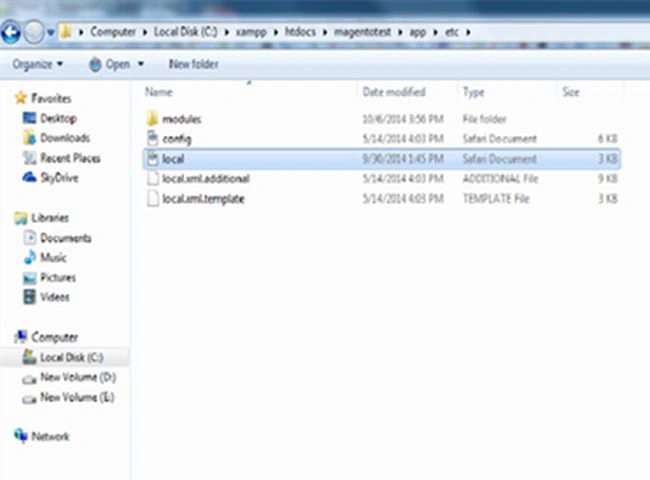
Find xml code and change host , username , password and database name
- <default_setup>
- <connection>
- <host><![CDATA[enter host name]]></host>
- <username><![CDATA[enter database user name]]></username>
- <password><![CDATA[enter database password ]]></password>
- <dbname><![CDATA[enter database name]]></dbname>
- <initStatements><![CDATA[SET NAMES utf8]]></initStatements>
- <model><![CDATA[mysql4]]></model>
- <type><![CDATA[pdo_mysql]]></type>
- <pdoType><![CDATA[]]></pdoType>
- <active>1</active>
- </connection>
- </default_setup>
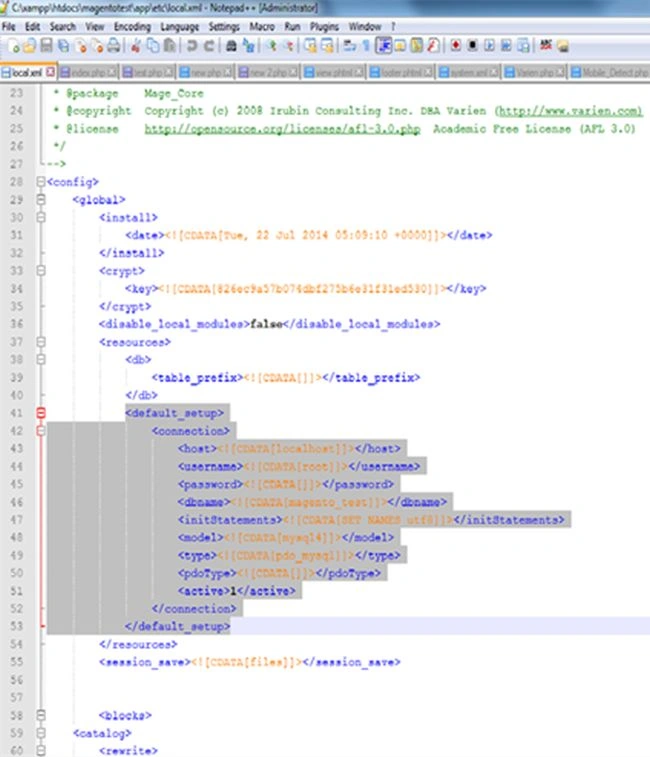
Above maintain database connection.
if you want to session save into table:
- <session_save><![CDATA[db]]></session_save>
If you want to change admin URL. You can change admin url because protect Magento backend store against hackers.
Step 2
Go to file path loction:
app\etc\ local.xml
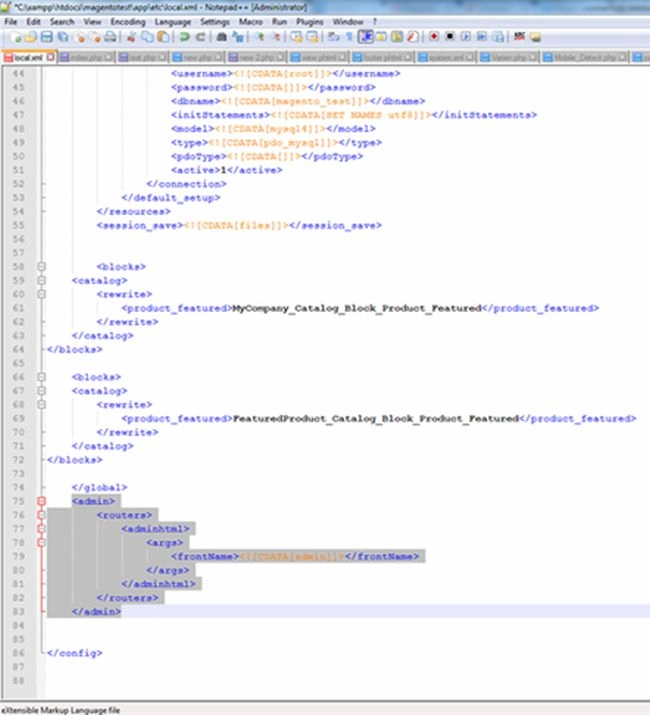
- <frontName><![CDATA[admin]]></frontName>
- <frontName><![CDATA[ Enter Your admin name]]></frontName>
Join the conversation! Your thoughts help the community grow.