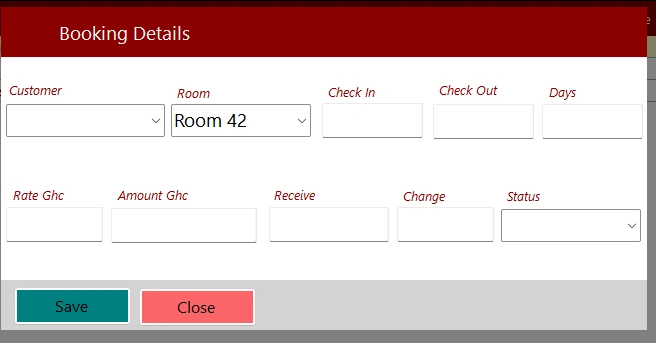
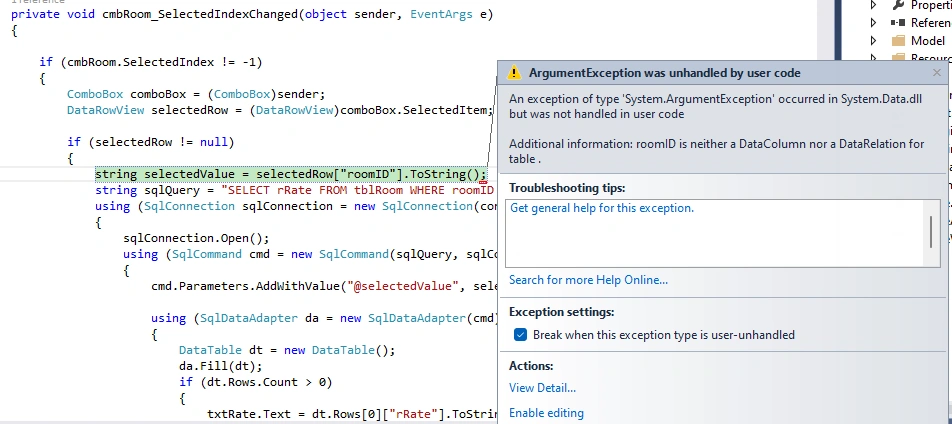
Hello Team, Please I have this error in my C# window form application, Kindly help.
private void cmbRoom_SelectedIndexChanged(object sender, EventArgs e)
{
if (cmbRoom.SelectedIndex != -1)
{
ComboBox comboBox = (ComboBox)sender;
DataRowView selectedRow = (DataRowView)comboBox.SelectedItem;
if (selectedRow != null)
{
string selectedValue = selectedRow["roomID"].ToString();
string sqlQuery = "SELECT rRate FROM tblRoom WHERE roomID = @selectedValue";
using (SqlConnection sqlConnection = new SqlConnection(con_string))
{
sqlConnection.Open();
using (SqlCommand cmd = new SqlCommand(sqlQuery, sqlConnection))
{
cmd.Parameters.AddWithValue("@selectedValue", selectedValue);
using (SqlDataAdapter da = new SqlDataAdapter(cmd))
{
DataTable dt = new DataTable();
da.Fill(dt);
if (dt.Rows.Count > 0)
{
txtRate.Text = dt.Rows[0]["rRate"].ToString();
}
}
}
}
}
Sam HobbsPosted Nov 14, 2023, 3:19 PM
If everything is working the way you intend it to work then you would not be getting an error. When getting an error, we need to confirm (check) that things are working the way we think they are.
Emmmanuel FIADUFEPosted Nov 14, 2023, 12:08 PM
Sam please when you look at both the DB table and the DataGridView they all have roomID as in the picture
Sam HobbsPosted Nov 13, 2023, 9:53 PM
My best guess is that there is not a field with the name "roomID" in the row. If it were me then I would use the debugger to look at what is actually there. I do not know how well you know how to use the debugger and I forget the details of how to do this exact thing. When the program gets to where it gets the error, as shown in your post, somehow there is a way to use the debugger to see what is actually there.
Emmmanuel FIADUFEPosted Nov 13, 2023, 11:48 AM
Hello Team,
this is my table and dataGridview content.
DATAGRIDVIEW
TABLE
Emmmanuel FIADUFEPosted Nov 13, 2023, 11:46 AM
Hello Ramon,
After trying your format i get this error that says
Error 2 Type or namespace definition, or end-of-file expected
Sam HobbsPosted Nov 12, 2023, 2:31 AM
Ramon, you have:
Is that not the purpose of checking
selectedRowfor null? To ensure that it is a DataRowView?And yes, formatting does help people understand code but the syntax phase of the compiler eliminates redundant whitespace; the formatting (for C#) is irrelevant to the compiler.
Sam HobbsPosted Nov 11, 2023, 6:59 PM
We know that selectedRow is a DataRowView because we know it is not null and it would be null if SelectedItem was not a DataRowView.
Look at the documentation.
DataRowView.Item[] Property (System.Data) | Microsoft Learn
https://learn.microsoft.com/en-us/dotnet/api/system.data.datarowview.item?view=net-7.0
ArgumentException means that a column with the specified name or relation was not found.
Ramon OrdialesPosted Nov 11, 2023, 6:17 PM
You should improve your code style.
private void cmbRoom_SelectedIndexChanged(object sender, EventArgs e)
{
var comboBox = (ComboBox)sender; //direct cast. You are sure thist is a ComboBox
if (comboBox.SelectedIndex==-1) return; // avoid so many indentation inverting if
var selectedRow = comboBox.SelectedItem as DataRowView; // ARE YOU SURE???
if (selectedRow is null) return; // avoid indentation inverting if
var selectedValue = selectedRow["roomID"].ToString(); // ARE YOU SURE EACH ITEM IS A DataRowView???
[...]
1. May be each Item in the combobox is simply a string and not a DataRowView
2. In the case that selectedRow is a DataRowView. The error message said: the datarowview HAS NOT a field called "roomID".
2.a) Check case of the field (May be RoomID? May be roomId? o similar.
2.b) Check that the DataRowView include that field.
May be this help a little