i can able to Encrypt the json object
My object
{id:487,mobile:9966368646,name :"jaya sai prakash",lname:"koyya",date:"2023-03-15",gender:"male",salary:"10000",location:"Nidadavolu"}
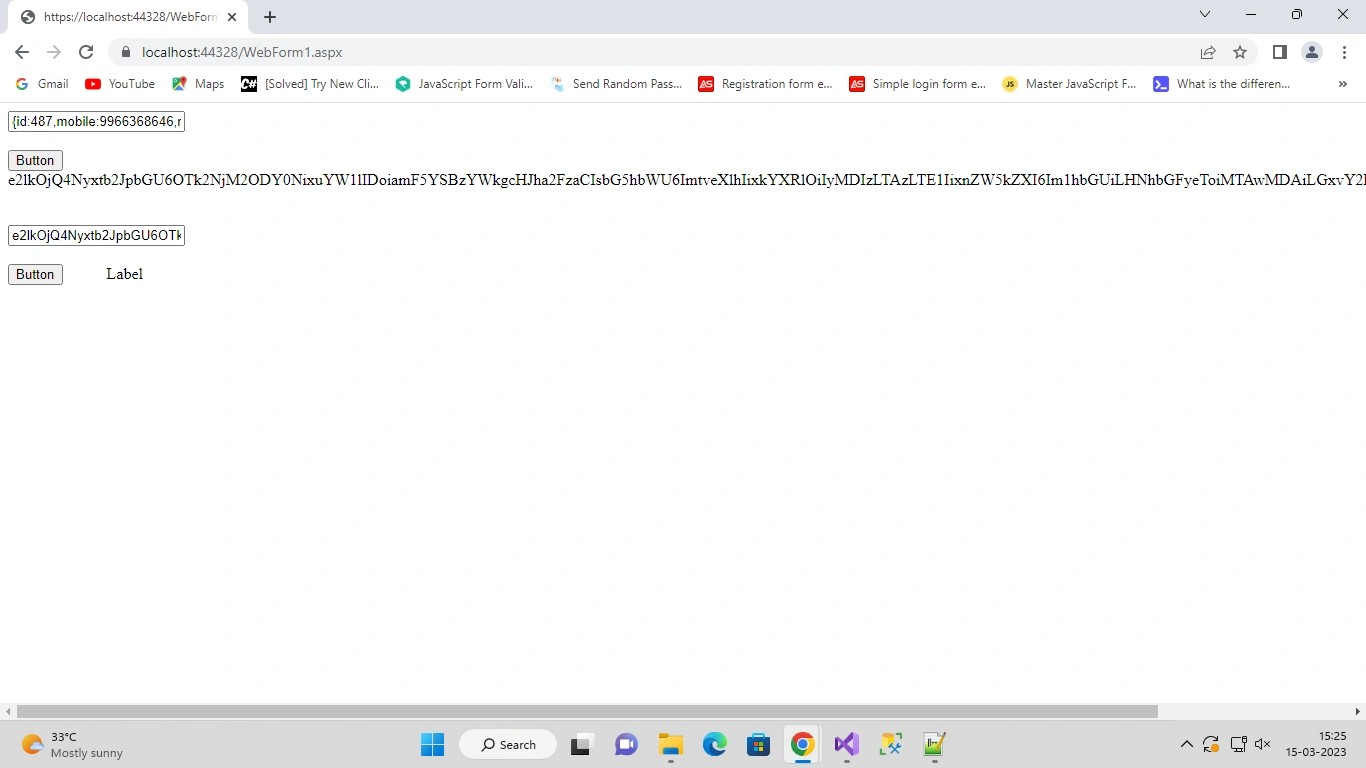
but when i try to Decrypt the Encrypted data it is displaying
like this It is Showing Some symbols how to get back the original json data from this

This is For Encryption
protected void Button1_Click(object sender, EventArgs e)
{
    var encrypted = Convert.ToString(TextEncrypt.Text);
    string jsonString=JsonConvert.SerializeObject(encrypted);
    TextDecrypt.Text = "";
    string publickey = "santhosh";
    string secretkey = "engineer";
    byte[] secretkeyByte = { };
    secretkeyByte = Encoding.UTF8.GetBytes(secretkey);
    byte[] publickeybyte = { };
    publickeybyte = Encoding.UTF8.GetBytes(publickey);
    MemoryStream ms = null;
    CryptoStream cs = null;
    byte[] encryptedResult = Encoding.UTF8.GetBytes(encrypted);
    RijndaelManaged aes = new RijndaelManaged();
    aes.KeySize = 256;
    aes.BlockSize = 256;
    aes.Padding = PaddingMode.Zeros;
    aes.Mode = CipherMode.CBC;
    byte[] encodedTextBytes = Encoding.UTF8.GetBytes(TextEncrypt.Text);
    TextDecrypt.Text = Convert.ToBase64String(encodedTextBytes);

    //  Response.Write(TextDecrypt.Text);
    //  var toDecodeAsString = System.Convert.FromBase64String(encrypted);
    using (DESCryptoServiceProvider des = new DESCryptoServiceProvider())
    {
        RijndaelManaged AES = new RijndaelManaged();
        AES.KeySize = 256;
        AES.BlockSize = 128;
        ms = new MemoryStream();
        cs = new CryptoStream(ms, des.CreateEncryptor(publickeybyte, secretkeyByte), CryptoStreamMode.Write);
        cs.Write(encryptedResult, 0, encryptedResult.Length);
        cs.FlushFinalBlock();
        // Label1.Text = encryptedResult;
        TextDecrypt.Text =Convert.ToBase64String(encodedTextBytes);
        Label1.Text =Convert.ToBase64String(encodedTextBytes);
    }

}
This is my code for Decryption
protected void Button2_Click(object sender, EventArgs e)
{
    string Decrypt = Convert.ToString(TextDecrypt.Text);
    //  TextEncrypt.Text = "";
    string publickey = "santhosh";
    string privatekey = "engineer";
    RijndaelManaged aesAlg = null;
    byte[] privatekeyByte = { };
    privatekeyByte = Encoding.UTF8.GetBytes(privatekey);
    byte[] publickeybyte = { };
    publickeybyte = Encoding.UTF8.GetBytes(publickey);
    MemoryStream ms = null;
    CryptoStream cs = null;
    aesAlg = new RijndaelManaged();
    RijndaelManaged aes = new RijndaelManaged();
    aes.KeySize = 256;
    aes.BlockSize = 256;
    aes.Padding = PaddingMode.Zeros;
    aes.Mode = CipherMode.CBC;
    byte[] bytes = Convert.FromBase64String(TextDecrypt.Text);
    TextEncrypt.Text = Convert.ToBase64String(bytes);
    byte[] inputbyteArray = new byte[Decrypt.Replace(" ", "+").Length];
    inputbyteArray = Convert.FromBase64String(Decrypt.Replace(" ", "+"));
    using (DESCryptoServiceProvider DES = new DESCryptoServiceProvider())
    {
        ms = new MemoryStream(bytes);
        cs = new CryptoStream(ms, DES.CreateDecryptor(publickeybyte, privatekeyByte), CryptoStreamMode.Write);
        cs.Write(bytes, 0, bytes.Length);
        Encoding encoding = Encoding.UTF8;
        TextEncrypt.Text = encoding.GetString(ms.ToArray());
        Label2.Text = TextEncrypt.Text;
        //TextEncrypt.Text = "";
        Label1.Text = "";
    }
}
Tuhin PaulPosted Mar 16, 2023, 4:43 AM
we use the AesCryptoServiceProvider class and set the Key and IV properties directly from the private and public keys, respectively. We then use the "using" statement to ensure that the MemoryStream, CryptoStream, and StreamReader are all properly disposed of after use. We use the Read mode for the CryptoStream and the ReadToEnd method of the StreamReader to read the decrypted text.
Tuhin PaulPosted Mar 16, 2023, 4:42 AM
here are a few improvements that can be made to this code done by @Vishal:
1) Instead of using the obsolete DESCryptoServiceProvider class, you can use the AesCryptoServiceProvider class which is more secure and provides better performance.
2) The CryptoStreamMode.Write mode should be changed to CryptoStreamMode.Read, since we want to read from the CryptoStream and not write to it.
3) The code should ensure that the CryptoStream is properly flushed and closed after use, even in case of exceptions, by using the "using" statement for both the MemoryStream and the CryptoStream.
improved version of the code that incorporates these changes:
Vishal JoshiPosted Mar 15, 2023, 11:26 AM
Replace with below code.
Tuhin PaulPosted Mar 15, 2023, 11:25 AM
you can modify your decryption code to deserialize the decrypted JSON string
this code assumes that the encrypted JSON string was created using the same encryption algorithm and keys as the encryption code you provided. If the encryption method has been changed, you may need to modify the decryption code accordingly.
Tuhin PaulPosted Mar 15, 2023, 11:24 AM
Based on the code you provided, it looks like you are converting the JSON object to a string and then encrypting it. However, the decryption code doesn't include any JSON parsing or deserialization step to convert the decrypted string back to a JSON object.
To fix this, you need to add a step in the decryption code to deserialize the decrypted JSON string into a JSON object. You can use the JsonConvert.DeserializeObject method from the Newtonsoft.Json library to do this.
Jaya PrakashPosted Mar 15, 2023, 11:24 AM
hi sir @ Vishal
getting error at return Decrypt
if i change return type void to string it will give us an error
Vishal JoshiPosted Mar 15, 2023, 11:18 AM
Hello Jaya
Please replce the below code with your code. it should work.
Thanks
Vishal