Skip to content
Loading
How to Find and replace both open and close tag with new tags
0
  • Laxmidhar Sahoo
    hi
    I think itemToEdit.TemplateBody is a template that efine in angular js controller.
    please can you show me the itemToEdit.TemplateBody template where it is define
    Thanks and regards
    0
    1. <div class="form-group">  
    2.      <label>Template Bodylabel>  
    3.     <ejs-richtexteditor id="TemplateBody" name="TemplateBody" [width]='width' [height]='height' [(ngModel)]="itemToEdit.TemplateBody">ejs-richtexteditor>  
    4. div>  
    @viswanatha Yes. Thanx.
     
    this is my html code for rich text box.  I will write in this text box  and can apply any formatting like bold, italic, underline, font size or font family.
     
    itemToEdit.Templatebody will contain string with all formatting tags.Means
     
     
    1. itemToEdit.Templatebody = <span style="font-family: Arial, Helvetica, sans-serif;"><span style="text-decoration: underline;">This is the best wayspan>span>  
     Now I am saving TemplateBody in DB But before that I have to replace text-decoration tag with
    and its corresponding closing tag with . But as you can see there are 2 tags. So how i will come to know which tag i need to replace 
    0
  • Viswanatha Swamy
    Hello Dip S,
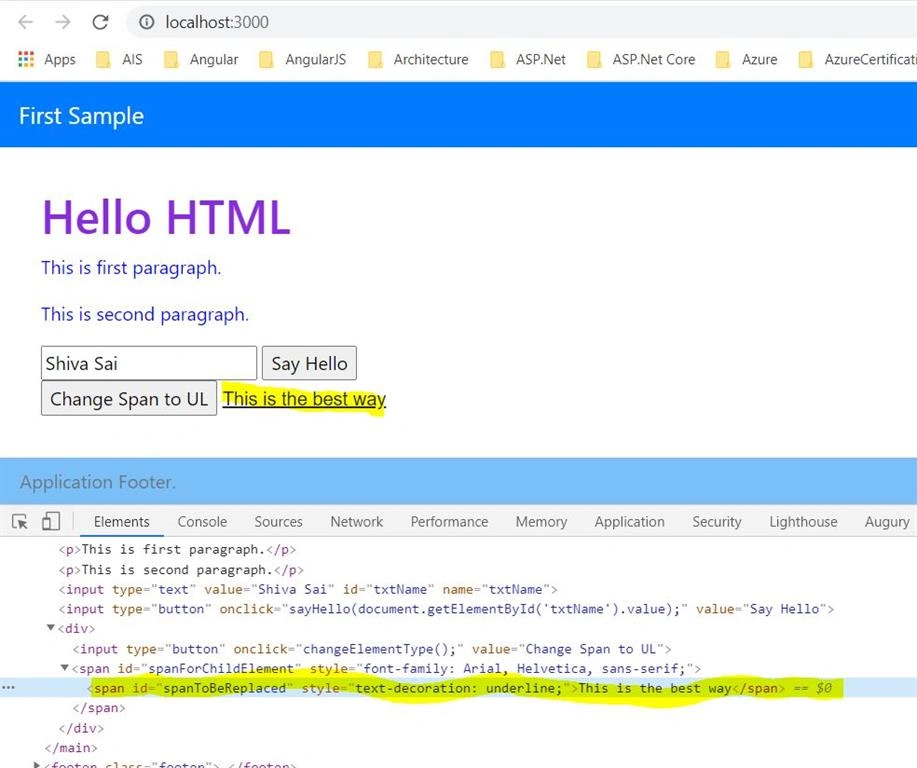
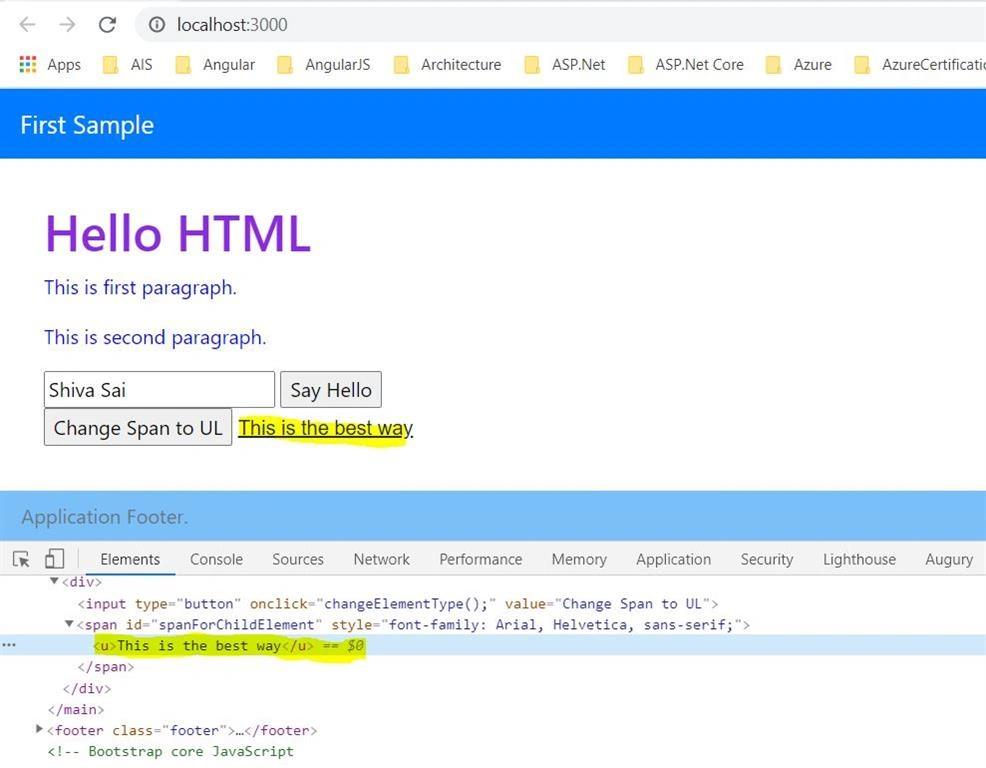
    Updated the Code which will work based on the content inside the inner Span dynamically. Many thanks.
    Regards,
    Swamy
     
    URL:  https://github.com/vishipayyallore/learning_angular_in_2020/tree/master/HtmlCss/sample-app1
     
    Code:
    1. function changeElementType() {    
    2.     
    3.     let spanToBeReplaced = document.getElementById('spanToBeReplaced');    
    4.     var parentSpanElement = document.getElementById('spanForChildElement');    
    5.     const content = spanToBeReplaced.innerText;    
    6.     
    7.     parentSpanElement.innerHTML = `${content}`;    
    8.     
    9. }   
     
    Images: 


    0
  • Viswanatha Swamy
    Hello Dip S,
    I will modify the code to dynamically pick the content. Please give me a few minutes I will update the code. Many thanks. 
    0
  • @viswanatha thnk you. But My string may contains multiple sentences which are underlined.
     
    e.g.
     
    This is a testing string. This is written for testing of opening and closing tags.  There may be number of sentences in a file.
     
     
    like this. For each underlined word, rich text editor will attach
    Then in that case how can i proceed? 
    0
  • Laxmidhar Sahoo
    hi
    If display more code may solve .
     
    Thanks 
    0
  • Following is the output of rich text editor which i want to save in my database.
    1. <span style="font-family: Arial, Helvetica, sans-serif;"><span style="text-decoration: underline;">This is the best wayspan>span>    
     Above is  a string "This is the best way" to which i have given some styling like font and underline.
    now in this output string I have to replace  
    1. <span style="text-decoration: underline;">  
    with tag.
     
    I can find this tag and replace it. But my main problem is in above string there are two tags.
    So how will i come to know which tag I need to replace with
    i.e. the 1st or 2nd one. 
    0
  • Viswanatha Swamy
    Hello Laxmidhar,
    He wants the inner tag tobe replaced with . Many thanks. 
    +1
  • Laxmidhar Sahoo
    hi dip
     
    Sorry, I am not getting your point, Where you want to find ?
     
    Thanks and Regards
    Laxmidhar sahoo 
    0
  • Viswanatha Swamy
    Hello dip s,
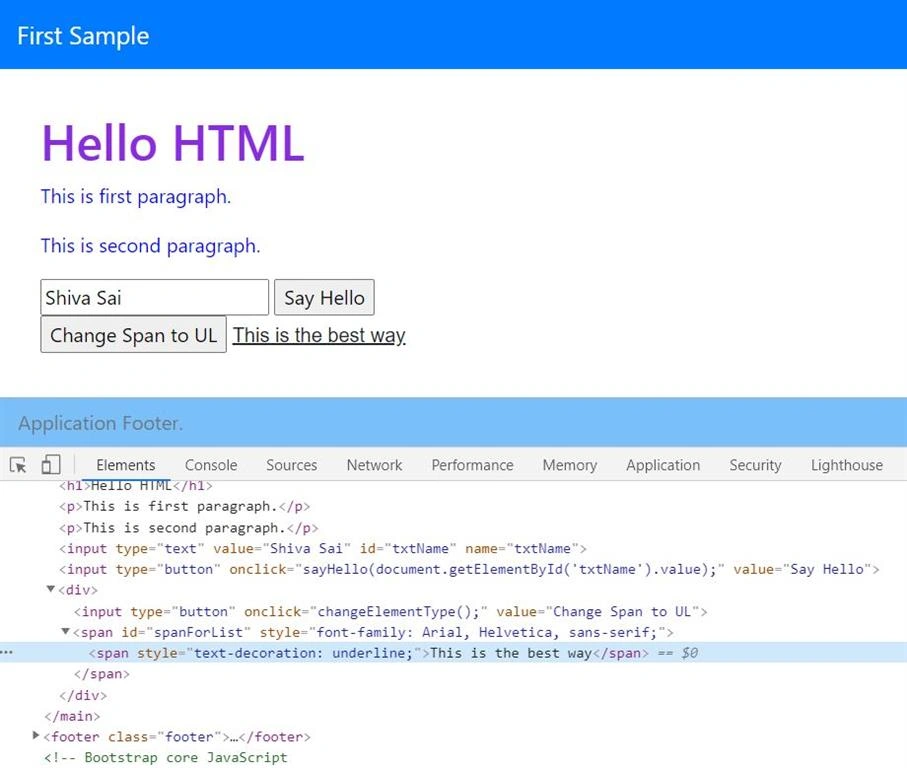
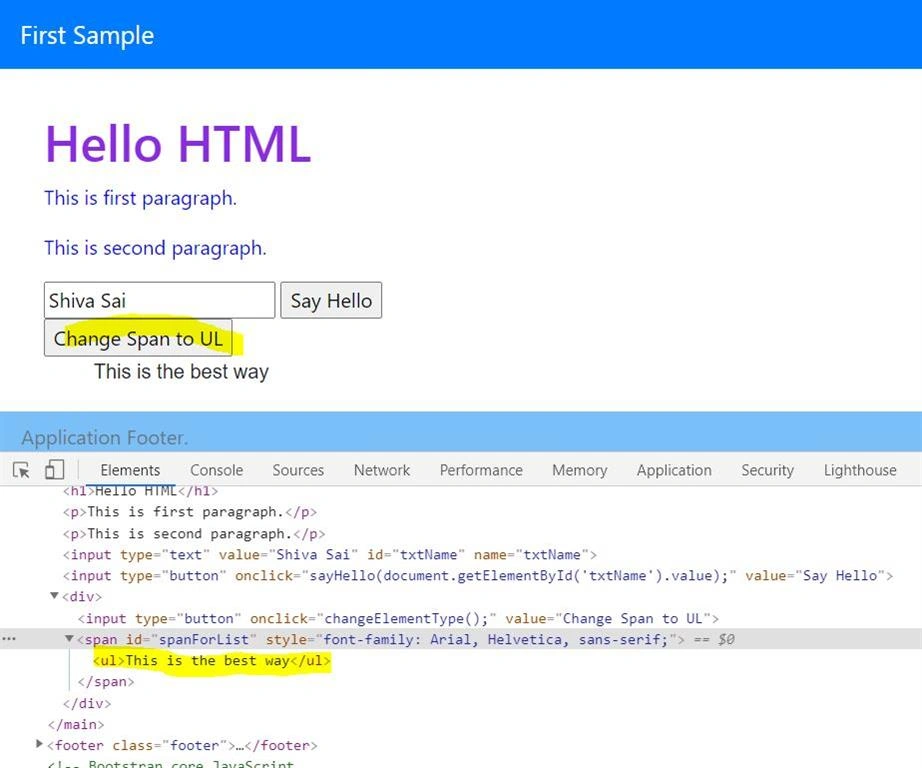
    Good afternoon. One of the way is, you can get the ElementById() and Replace its inner HTML. I have created a  sample and checked into my GitHub Repository. Many thanks.
     
    Regards,
    Swamy
     
    URL:  https://github.com/vishipayyallore/learning_angular_in_2020/tree/master/HtmlCss/sample-app1


    0