Hi Team
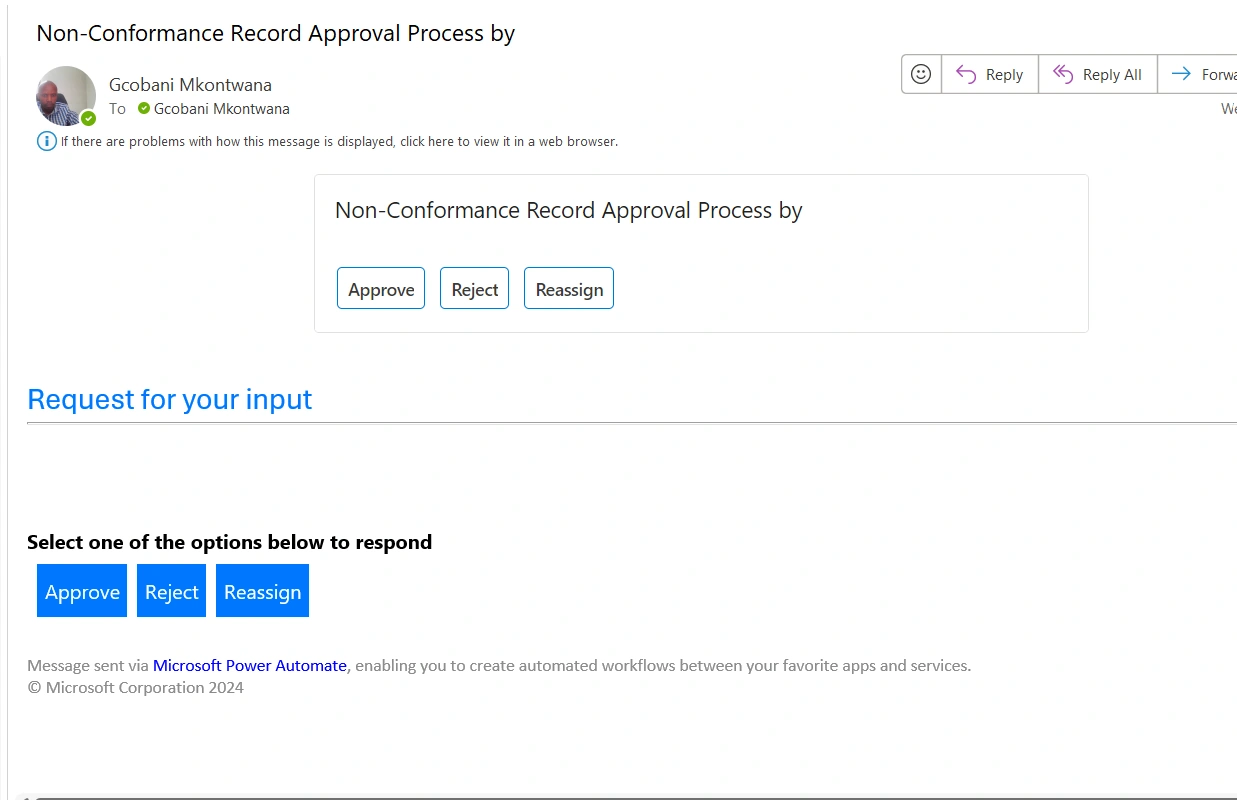
I have power flow, now i am using Microsoft Outlook for options. I have 3 options for approvals(Approve, Reject and Reassign). How do i then use each of these approval to have on Approve(comment text box, Reassign link or url for my sharepoint form so can amend the form there?)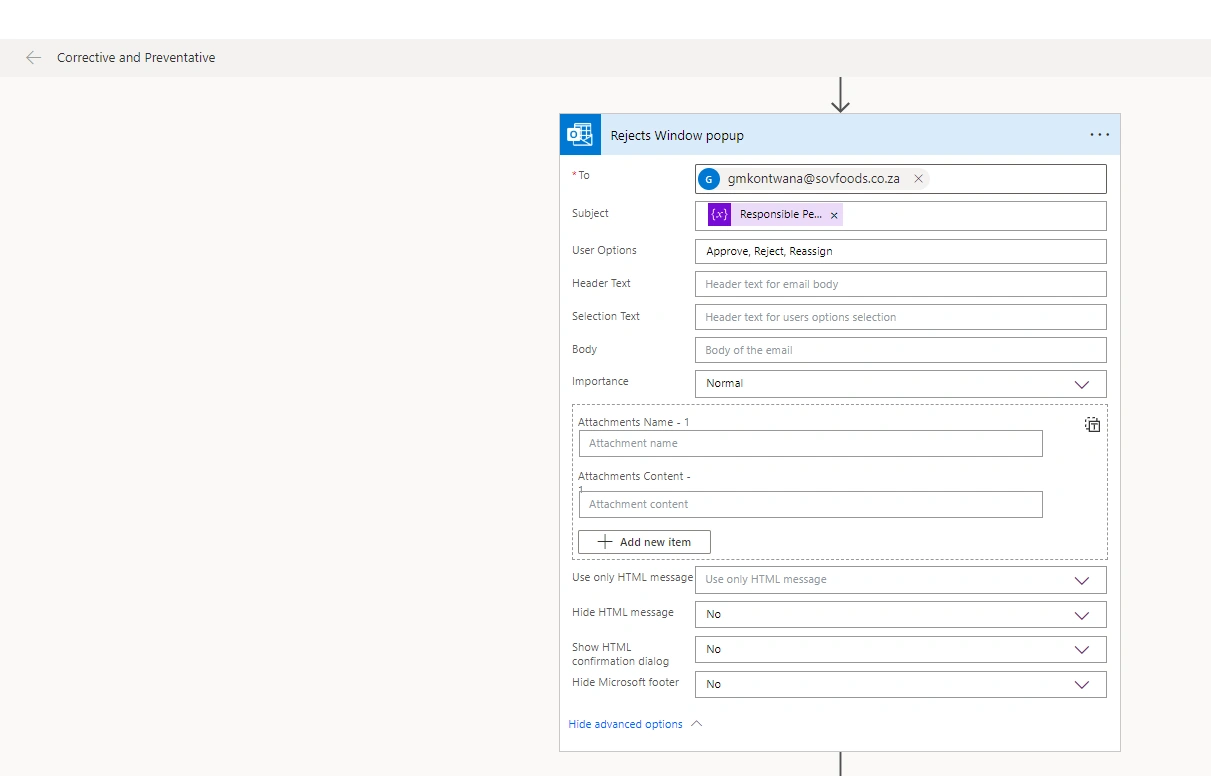
Abhishek YadavPosted Apr 9, 2024, 10:36 AM
To incorporate the approval options in Microsoft Outlook for your power flow, you can follow these steps:
1. For the "Approve" option:
- Set up a condition in your flow that checks if the approval status is "Approve."
- If the approval status is "Approve," you can use the "Send an email" action to send an email notification to the relevant parties with the comment text inputted by the approver in the approval process.
2. For the "Reject" option:
- Set up a condition in your flow that checks if the approval status is "Reject."
- If the approval status is "Reject," you can use the "Reject approval" action to send a rejection notification to the relevant parties with the comment text inputted by the approver in the approval process.
3. For the "Reassign" option:
- Set up a condition in your flow that checks if the approval status is "Reassign."
- If the approval status is "Reassign," you can use the "Send an email" action to send an email notification to the relevant parties with a link or URL to your SharePoint form so they can amend the form according to the instructions provided in the approval process.
By following these steps, you can effectively use the approval options in Microsoft Outlook to manage and track the approval process for your power flow.