
loud hybrid search helps users to search for content, which exists in SharePoint 2013 On-Premise Server along with the content search in Office 365. This is done by crawling the content in SharePoint 2013 Server and indexing it along with the search index in Office 365.
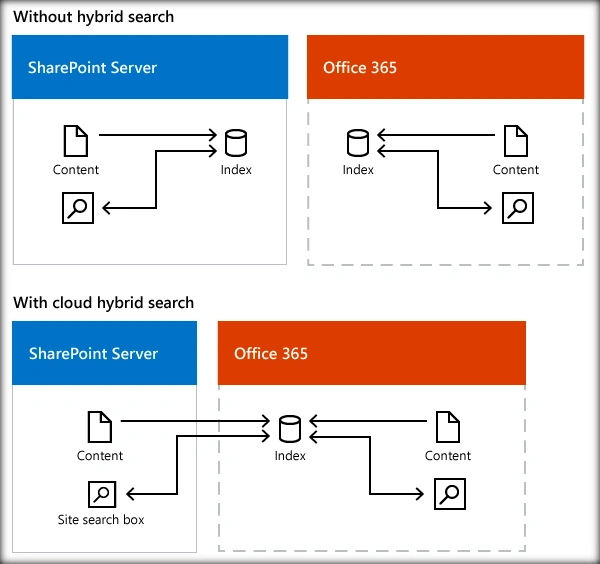
Before setting up Cloud hybrid search, we need to have prerequisites in SharePoint 2013 and Office 365 environment. Ensure the steps, mentioned below, are done.
Office 365 Prerequisite Configurations
The configurations that has to be done in Office 365 is already covered in some of the previous articles below:
- A public domain has been registered with Office 365.
- A UPN prefix that matches the public domain has been added to the Local AD.
- An Active Azure Subscription is available.
- Office 365 AD is manageable from Azure.
- Synchronize Local Active Directory with Office 365 Directory.
SharePoint Server 2013 Prerequisite Configurations
As part of setting up the prerequisites in SharePoint Server 2013, we will have to ensure the successful provisioning of
- Managed Metadata service application
- User Profile Service application
- My Sites
- App Management Service Application
- Subscription Setting Service
- Setup Synchronization connection with Active Directory Services
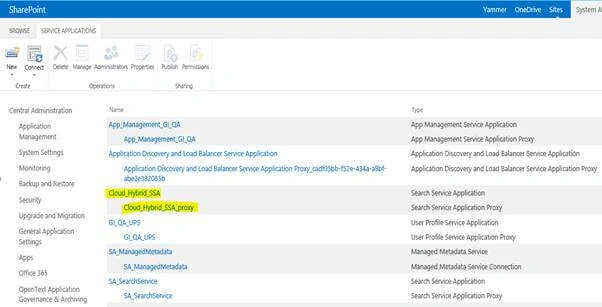
When you set up cloud hybrid search, one of the steps is to create a cloud Search service application (cloud SSA) on your SharePoint Server 2013 or SharePoint Server 2016 search farm. When you create this cloud SSA, a default search architecture is created for you on the server running the cloud SSA. Each search farm can have only one cloud SSA but can have multiple SSAs in combination with the cloud SSA.
A search architecture for cloud hybrid search consists of search components and databases that form a topology, and servers that host that topology. You need to plan the number of crawl components for your topology, which servers to host the search components and databases on, and the hardware required for each server.
Before you get going, you should read Learn about the search topology for cloud hybrid search to familiarize yourself with the search components in a search architecture for cloud hybrid search.
Step 1 - How much on-premises content can I index in Office 365?
For each 1 TB of pooled storage space your tenant has in SharePoint Online, you can index 1 million items of on-premises content in the search index in Office 365. You can purchase more space to increase your quota until it reaches the threshold of 20 million items. If you need to index more than 20 million items of on-premises content, contact Microsoft Support to increase this threshold.
Step 2 - What size cloud search architecture do I need?
For cloud hybrid search we recommend using the default search architecture that you get.
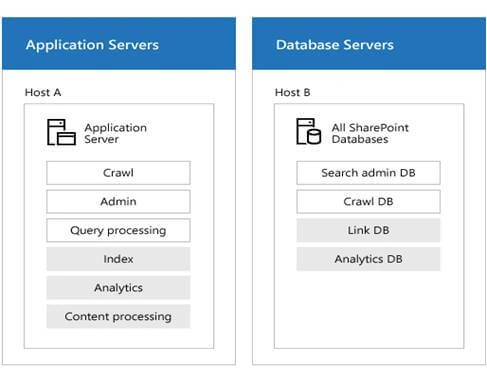
When you create a cloud SSA, the grey components are inactive in cloud hybrid search, but they still need to be placed on the servers as shown.
Just as for on-premises only enterprise search, you can scale your search architecture. The main difference is that for cloud hybrid search it's only relevant to scale the crawl component. If you need to tune crawling, follow the guidelines for crawling in Redesign enterprise search topology for specific performance requirements in SharePoint 2013 (the guidance for crawling also applies to cloud hybrid search). Note that if you crawl on-premises content at a high rate, the system might throttle feeding to the Office 365 search index to protect the Office 365 tenancy. If your search architecture has up to two crawl components, this should result in a sufficient and acceptable crawl rate.
Step 3 - What hardware requirements should I be aware of for cloud search architecture?
Choose to run servers physically or virtually for cloud hybrid search:
We recommend a search architecture that uses virtual machines, but you can also use physical machines.
Choose hardware resources for the host servers for cloud hybrid search:
This table shows the minimum amount of hardware resources that each application server or database server needs,
Server | On host | Storage | RAM | Processor1 |
Application server | A | 100 GB | 16 GB | 1.8 GHz 4x CPU cores |
Database server | B | 100 GB | 16 GB | 1.8 GHz 4x CPU cores |
The number of CPU cores is specified here, not the number of CPU threads.
In addition to the above
Make sure that each host server has enough disk space for the base installation of the Windows Server operating system and for the SharePoint Server program files. The host server also needs free hard disk space for diagnostics such as logging, debugging, and creating memory dumps, for daily operations, and for the page file. Normally, 80 GB of disk space is enough for the Windows Server operating system and for the SharePoint Server program files.
Add storage to the SQL log space for each database server. If you don't set the database server to back up the databases often, the SQL log space uses lots of storage.
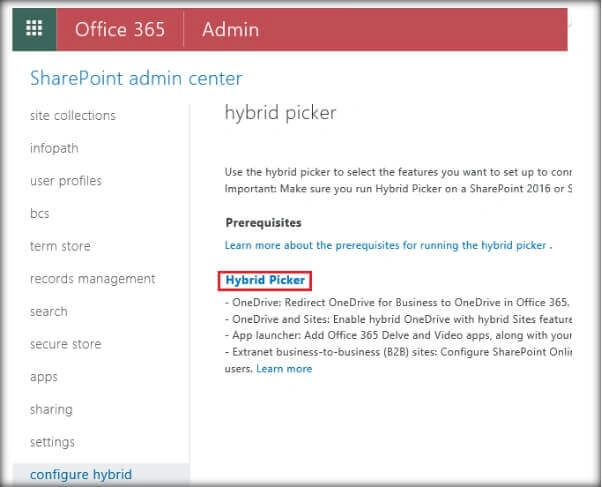
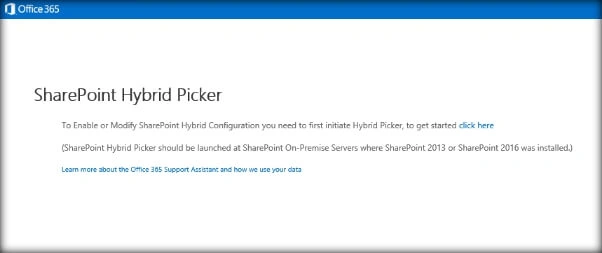
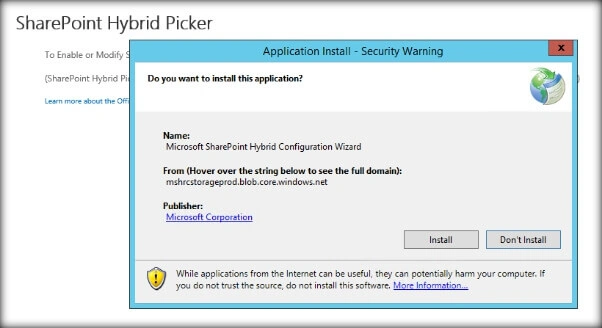
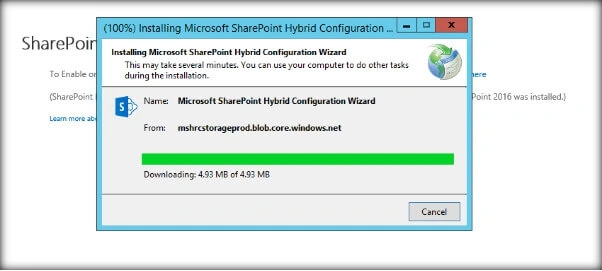
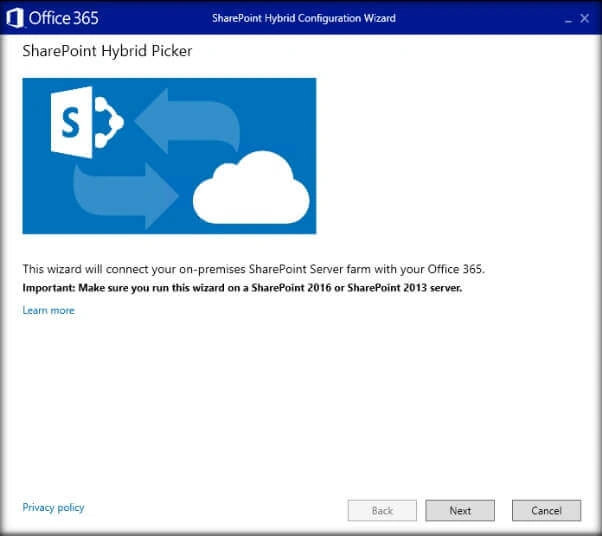
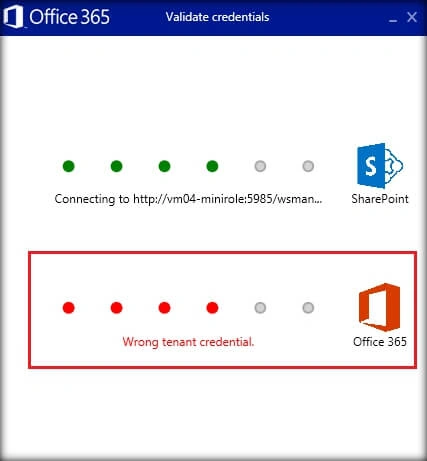
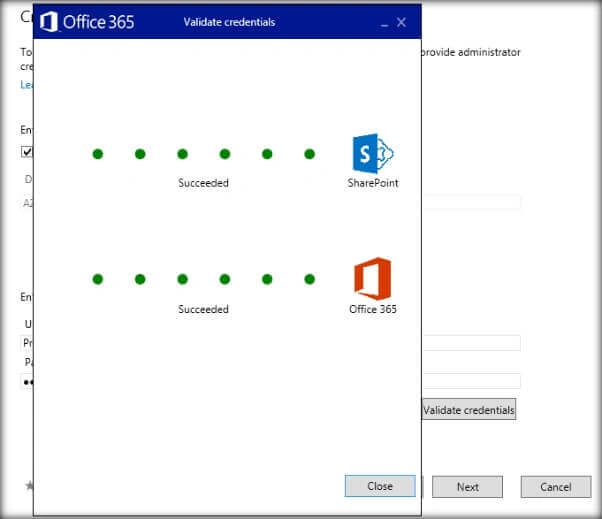
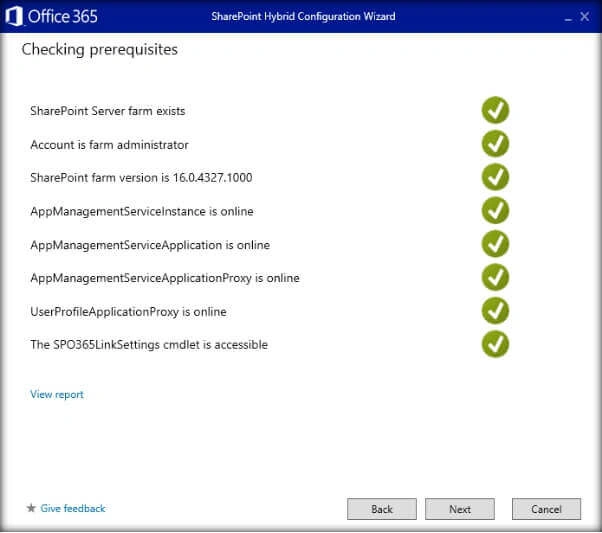
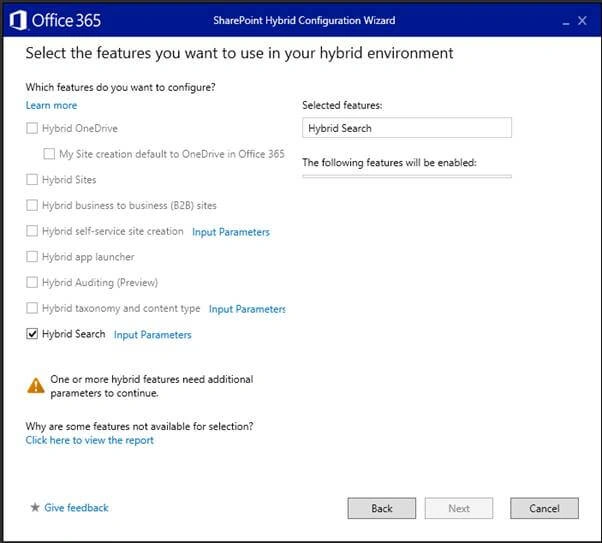
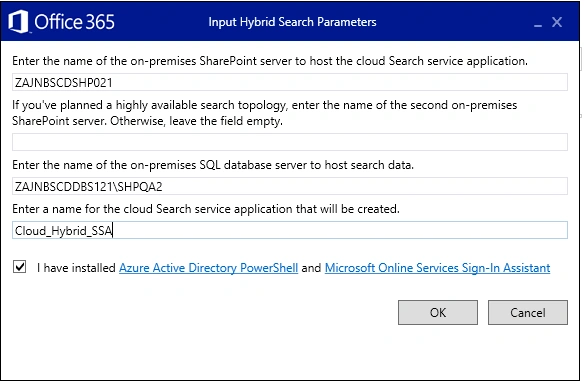
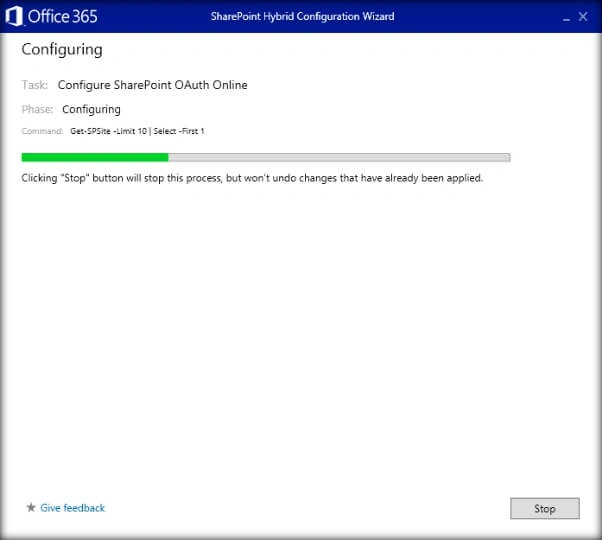
Cloud Hybrid Search Implementation with Hybrid Picker

Kiran Kumar TalikotiPosted Jan 13, 2021, 6:55 AM
Great article
Daniel KPosted Nov 19, 2018, 5:10 PM
Wow..! What a great post Man. Thank you, Hitesh Sharma
Md Tahmidul AbedinPosted Jun 8, 2018, 3:46 AM
Excellent Article. :)