

Introduction
A Splash Screen is an image that appears when an application is loading. Splash Screens are typically used to notify the user that the program is in the process of loading. In this article, we will learn how to create a Splash Screen for an Android Application in Xamarin / Mono for Android. In my previous article, we saw how to create a Hello World Application in Xamarin. Before starting, I suggest you read my previous article.
Let's Begin
Step 1
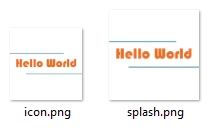
Add two images (icon.png for the icon and splash.png for displaying the image on the Splash Screen) in the Resources\Drawable folder.
Step 2
Right-click on the Values folder present in the Resources folder of the project then go to Add -> New item.

Step 3
Select XML File and provide it the Name Styles.xml. In an Android Application, we can assign themes to an Activity.

The following is the Styles.xml code:
- <?xml version="1.0" encoding="utf-8" ?>
- <resources>
- <style name="Theme.Splash" parent="android:Theme">
- <item name="android:windowBackground">@drawable/splash</item>
- <item name="android:windowNoTitle">true</item>
- </style>
- </resources>
In the code above, we have created a Theme named Theme.Splash and set the window background to the splash.png image present in the Drawable folder.
We have also disabled the title bar by setting windowNoTitle to true.
Step 4
Add a new Activity. Right-click on the project then go to Add -> New Item.

Select Activity and provide it the name SplashScreen.cs.

The following is the SplashScreen.cs code:

ramesh cPosted Apr 12, 2017, 5:16 AM
Thanks very much, Am the beginner of Xamarin implement with O365 sharepoint online API. This post is very useful for my application
Vithal WadjePosted Dec 7, 2014, 10:51 PM
good one