

Welcome to the Design Pattern For Beginners article series. In this article series we have been discussing various design patterns. If you are new in this series or very much interested in learning design patterns then please have a look at the following links.
- Design Pattern For Beginners - Part 1: Singleton Design Pattern
- Design Pattern For Beginners - Part 2: Factory Design Pattern
- Design Pattern For Beginners - Part 3: Prototype Design Pattern
- Design Pattern For Beginners - Part 4: Decorator Design Pattern
- Design Pattern For Beginners - Part 5: Composite Design Pattern
- Design Pattern For Beginners - Part 6: Adaptor Design Pattern
- Design Pattern For Beginners - Part 7: Bridge Design Pattern
- Design Pattern For Beginners - Part 8: memento Design Pattern
- Design Pattern for Beginners - Part-9: Strategy Design Pattern
- Design Pattern for Beginners - Part-10: Observer Design Pattern
- Design Pattern For Beginners - Part 11: Implement Decouple Classes in Application
This article explains the Memento Design Pattern. We will first discuss the basic need of the Memento Design Pattern and will discuss in which scenario it is relevant.
Why is the Memento Design Pattern necessary?
The Memento Design Pattern is useful when we want to save data in a temporary location and depending on the user's needs we can retrieve the old data.
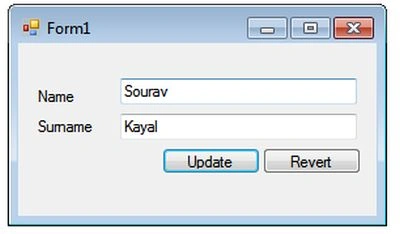
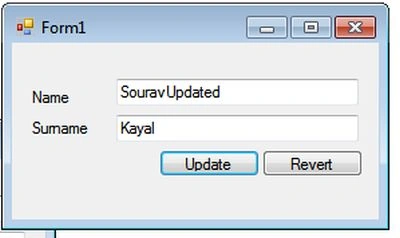
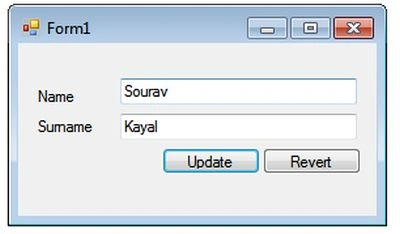
So, let's think about the scenario with a form (yes, simple Windows Forms form with a few controls) and in the form load event data will be loaded. Now the user may update the loaded data and allowed to save it. And after saving the data the user can restore it (if she wishes).
Now, the problem is, once she updates the form, how will we restore the old data? Don't worry; the Memento Design Pattern will help us.
Let's look behind the scenes
OK, here we will solve our big question. How will we restore the old data after the update is done? Let's apply our common sense, when we are say we will restore the old data, that implies that somewhere we are keeping the old data and when necessary we will get it back.
Yes, in the Memento Pattern we will keep a replica of the original object and all modifications will be performed in the original object. Now, when we need the old data to be restored we can get it back from the replica object.
And our problem is solved.
How to implement?
OK, so far we have said what the Memento Design Pattern is and when it is useful. Now for the technical and implementation parts. We have already said that we will keep a copy of the original object. So let's start with a small class implementation.
At first we will design our original class and then we will implement the mechanism to keep a copy of the original object.
The original person class is:
- public class Person
- {
- public String Name { get; set; }
- public String Surname { get; set; }
- MomentoPerson objMPerson = null;
- public Person()
- {
- Name = "Sourav";
- Surname = "Kayal";
- objMPerson = new MomentoPerson(Name,Surname);
- }
- public void Update(String name, string Surname)
- {
- this.Name = name;
- this.Surname = Surname;
- }
- public void Revert()
- {
- Name = objMPerson.Name;
- Surname = objMPerson.Surname;
- }
- }
ShreyaPosted Sep 19, 2024, 6:58 AM
It is beneficial content and a very clear explanation and It increases the interest in learning and reading. Thanks for the great explanation.
Sourav KayalPosted Sep 9, 2013, 9:08 AM
Thanks Ankur. I feel happy if someone find useful stuff in my article.
Ankur MishraPosted Sep 9, 2013, 8:57 AM
All are blogs are very helpful Sourav..