

Welcome to the Design Pattern for Beginners article series. If you are a new reader then I suggest you visit the previous articles in this series.
- Design Pattern For Beginners - Part 1: Singleton Design Pattern
- Design Pattern For Beginners - Part 2: Factory Design Pattern
- Design Pattern For Beginners - Part 3: Prototype Design Pattern
- Design Pattern For Beginners - Part 4: Decorator Design Pattern
- Design Pattern For Beginners - Part 5: Composite Design Pattern
- Design Pattern For Beginners - Part 6: Adaptor Design Pattern
- Design Pattern For Beginners - Part 7: Bridge Design Pattern
- Design Pattern For Beginners - Part 8: memento Design Pattern
- Design Pattern for Beginners - Part-9: Strategy Design Pattern
- Design Pattern for Beginners - Part-10: Observer Design Pattern
- Design Pattern For Beginners - Part 11: Implement Decouple Classes in Application
Why Strategies Design Pattern?
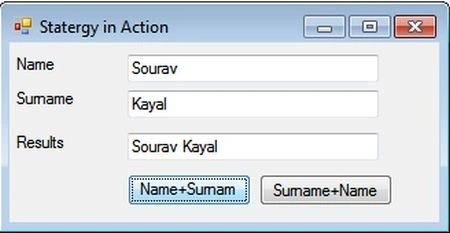
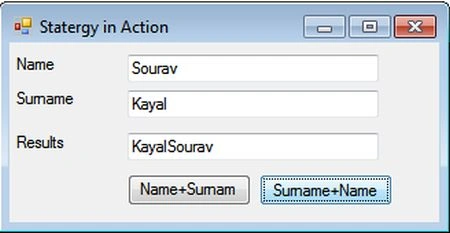
In this article we will discuss the Strategies Design Pattern. First of all we will try to understand what the Strategies Design Pattern is and in which scenario it is useful. OK, let's think about the situation where we need to make a decision during run time. For example, we want to display a name in an application. In one form we want to display the name with the combination of name+ surname and in another form we want to display surname+ name, in this fashion.
So, how to display the name? Yes, we will make the decision at run time, as needed. Let's think of another scenario. In an automated mailing system we want to send mail to the proper person. When an error occurs, we will study the error and according to classification we would like to send one mail to the relevant department.
If it is a software related error then the mail will go to the software division, if it is a hardware related issue then the mail will go to the hardware division. Now, we don't know which type of error will occur each time. We need to make the decision at run time after analysis of the error.
Let's implement strategy classes
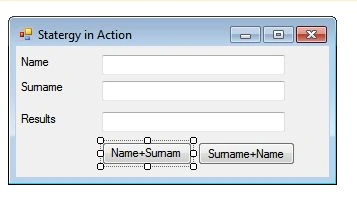
Let's implement our first scenario, where we want to show the combination of name and surname depending on demand (runtime). We will create a Windows application to do that. So, let's create a Windows application and provide a nice name. Then add a .cs file and place the following code into it.
Anik SenPosted Jun 11, 2014, 1:50 AM
Would u pls explain me, why we used abstract class instead off interface? As I'm bit confused!