

Note: this article is published on 04/21/2021.
After I wrote several articles on this site, I found out it seemed almost for every article, I needed to set up a sample application associated with an entity framework if accessing the database. And, every time, I needed to rewrite the setup process from scratch in order for a new reader to follow along easily. Even for introducing a very simple concept, such as Caching, I needed to spend 80% of the time setting up the sample app, and only 20% on introducing the Caching concept itself.
Therefore, I think it is better to write a basic model such as entity framework sample for various approaches, and then I can reuse them when needed. I made a list of the series of articles below, I will write them one by one, while the Entity framework overview and concept will be covered in the article (0):
- Entity Framework (0), Overview
- Entity Framework (1), with .Net MVC, Code-First
- Entity Framework (2), with .Net MVC, Database-First
- Entity Framework (3), with .Net MVC, Model-First
- Entity Framework (4), with .Net Core MVC, Code-First
- Entity Framework (5), with .Net Core MVC, Database-First
- Entity Framework (6), with .Net Core MVC, Model-First
- Entity Framework (7), with .Net WPF, Database-First --- this article
- Entity Framework (8), with .NET Core Web API, Stored Procedure
- Entity Framework (9), with .NET Core Web API, Stored Procedure Implementation
- Entity Framework (10), with .Net WebForms, Database-First
- Entity Framework (11), with .Net Core Razor Pages Code-First
- Entity Framework (12), with New .Net Core MVC Code-First
- Entity Framework (13), with .Net Core Code-First Summary
Note
We write the Entity Framework for WPF app, but the pattern is the same or similar when applying to Web Application, we just emphasize the major difference here.
Introduction
This article is about Entity Framework with .Net WPF, Database-First approach. We will make a sample app step by step,
- Step 1: Create an ASP.NET WPF application
- Step 2: Reverse Engineer Model
- Step 2-1, Alternative Approach: Code First
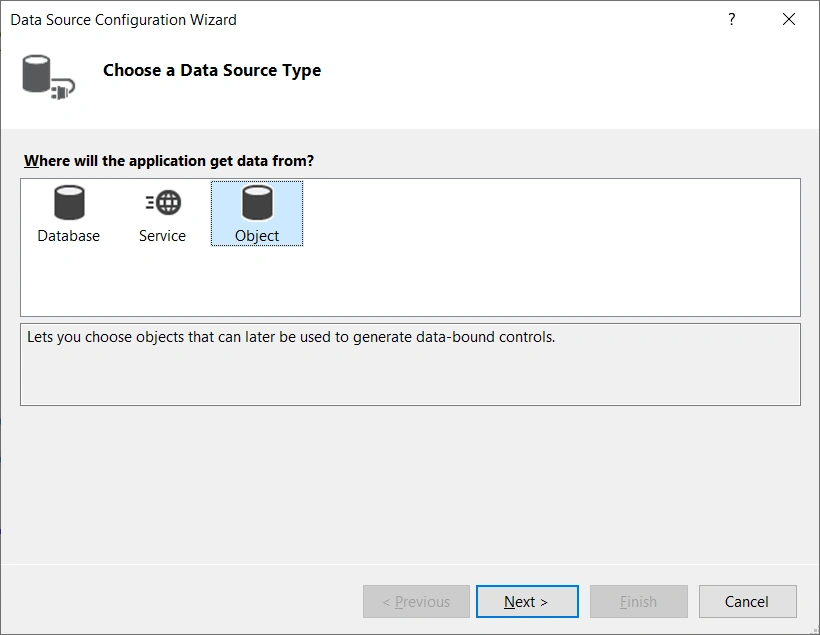
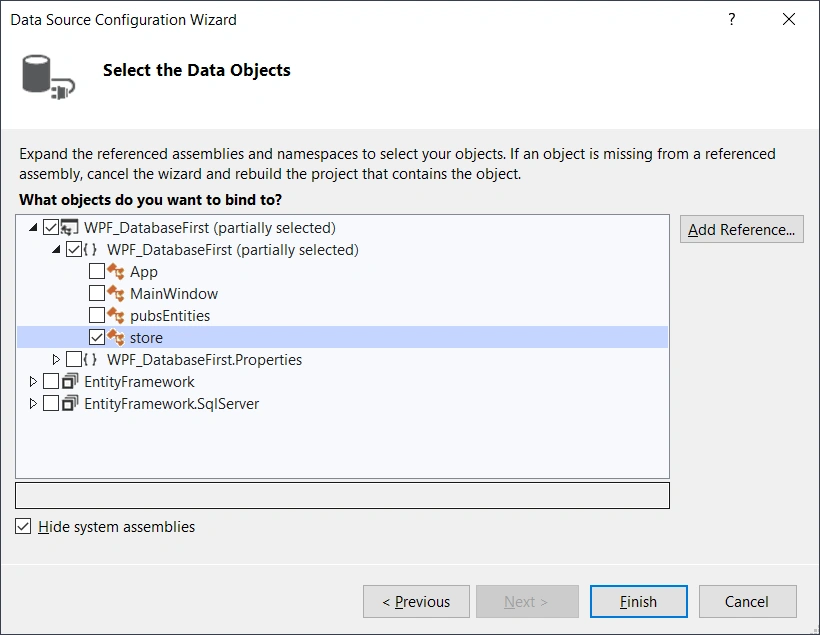
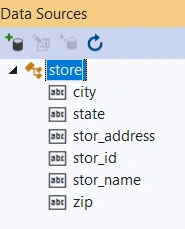
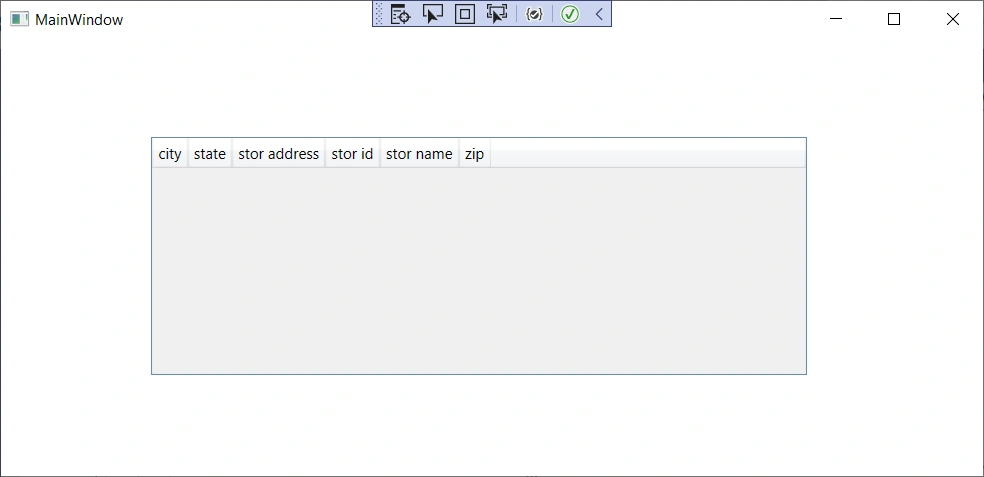
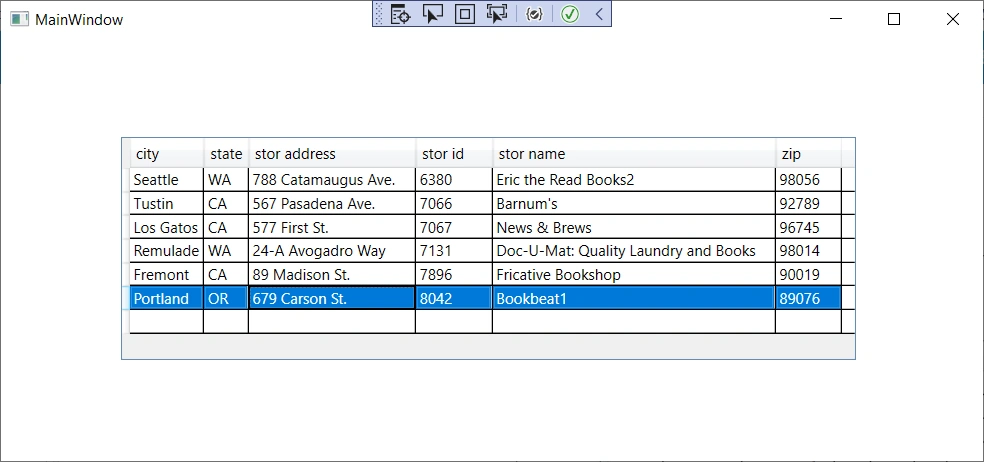
- Step 3: Data Binding
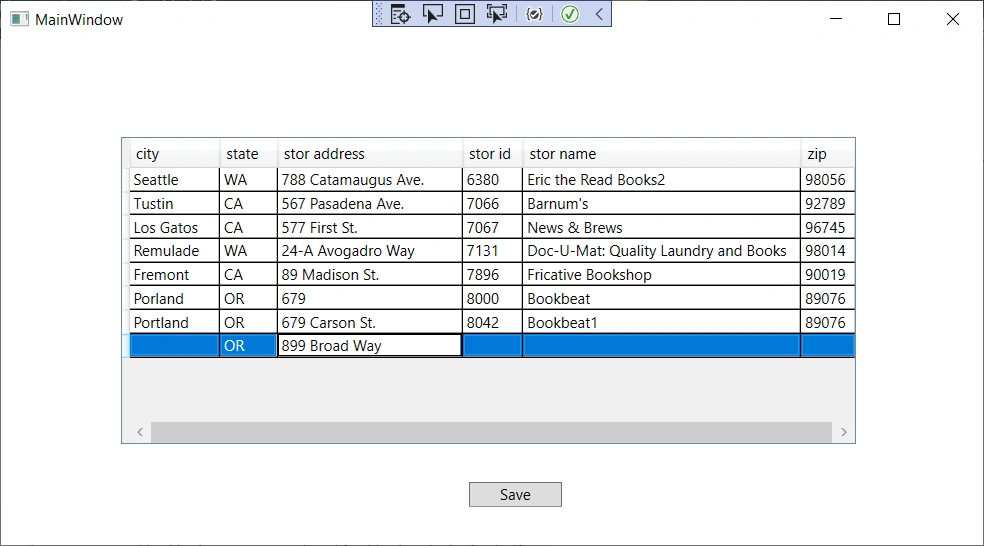
- Step 4: CURD
At the end, we will have a .Net WPF app that can consume a database directly through entity framework.
Step 1 - Create an ASP.NET WPF app
We use the current version of Visual Studio 2019 16.9.3 and .NET Framework 4.8 to build the app:
- Start Visual Studio and select Create a new project.
- In the Create a new project dialog, select WPF App (.NET Framework) > Next.
- In the Configure your new project dialog, enter WPF_DatabaseFirst for Project name > Create.
Build and run the app, it will be an empty window.
Step 2, Reverse Engineer Model
For this step, whatever WPF or Web app (MVC or Web API or Web Forms), they are all the exactly same. We will skip the procedure and use the result at Step 2, from Article Entity Framework (2), with .Net MVC, Database-First,
Once the reverse engineer process completes the new model is added to the project and opened up for viewing in the Entity Framework Designer:
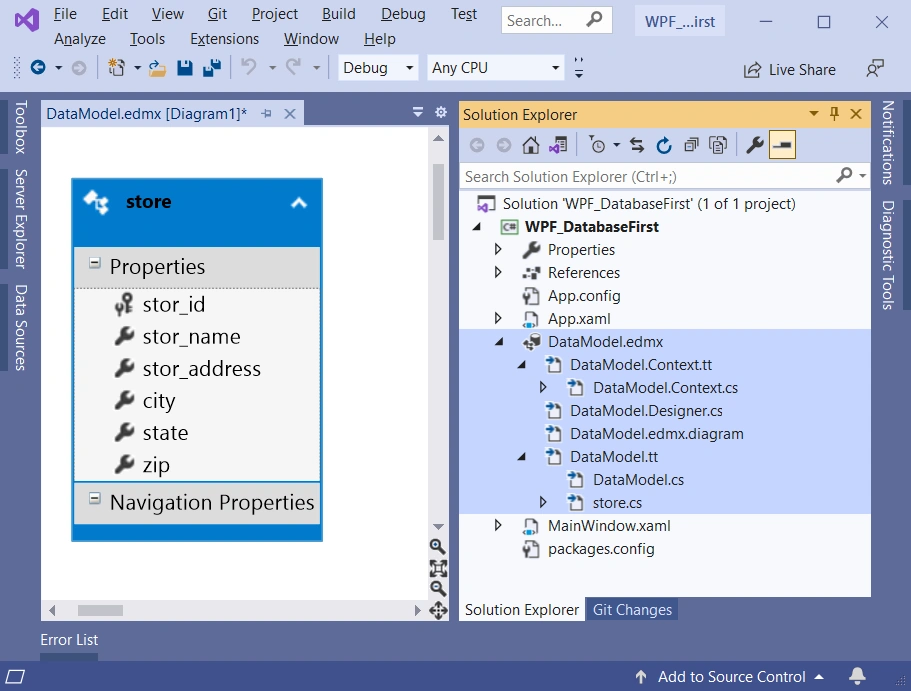
The created entity class, the entity context and the connection string will be exactly the same as ones in the MVC module, where the Store class is like this:
//------------------------------------------------------------------------------
// <auto-generated>
//     This code was generated from a template.
//
//     Manual changes to this file may cause unexpected behavior in your application.
//     Manual changes to this file will be overwritten if the code is regenerated.
// </auto-generated>
//------------------------------------------------------------------------------

namespace WPF_DatabaseFirst
{
    using System;
    using System.Collections.Generic;

    public partial class store
    {
        public string stor_id { get; set; }
        public string stor_name { get; set; }
        public string stor_address { get; set; }
        public string city { get; set; }
        public string state { get; set; }
        public string zip { get; set; }
    }
}
the Data Context will be in pubsEntities class:
//------------------------------------------------------------------------------
// <auto-generated>
//     This code was generated from a template.
//
//     Manual changes to this file may cause unexpected behavior in your application.
//     Manual changes to this file will be overwritten if the code is regenerated.
// </auto-generated>
//------------------------------------------------------------------------------

namespace WPF_DatabaseFirst
{
    using System;
    using System.Data.Entity;
    using System.Data.Entity.Infrastructure;

    public partial class pubsEntities : DbContext
    {
        public pubsEntities()
            : base("name=pubsEntities")
        {
        }

        protected override void OnModelCreating(DbModelBuilder modelBuilder)
        {
            throw new UnintentionalCodeFirstException();
        }

        public virtual DbSet<store> stores { get; set; }
    }
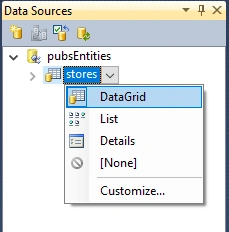
} 
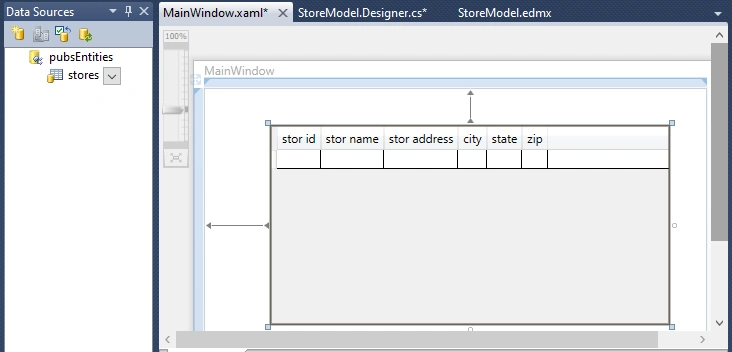
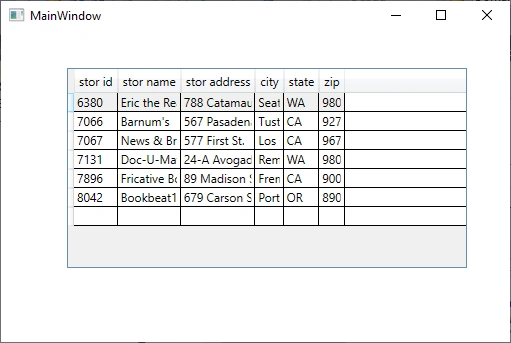
prideaux90Posted Apr 29, 2023, 7:25 AM
Why are you confusing your readers on the very first step: "Step 1 - Create an ASP.NET WPF Application" ? It is NOT an "ASP.NET WPF", if you have 20 years' experience you should know that ASP.NET refers to Active Server Pages, something related to the WEB. WPF is Not Web, it is a Windows desktop interface similar to Windows Forms!