

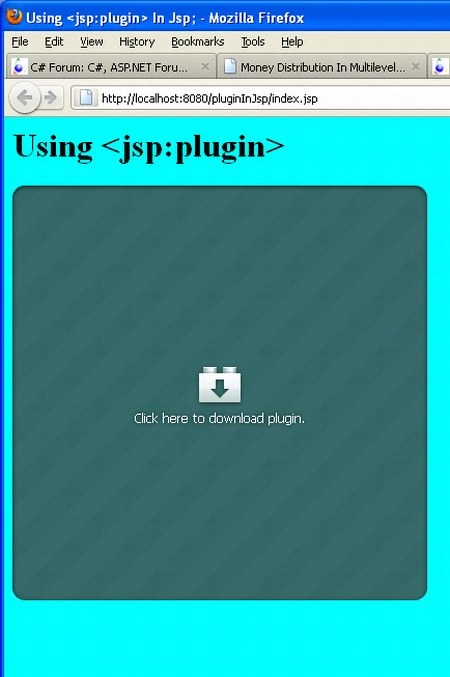
In this article I am describing an application showing how to use a <jsp:plugin>. It is used to display an object, especially an applet or a Bean on the client browser. The <jsp:plugin> element plays or dispays an object, in the client Web browser, using a Java plug-in that is built in to the browser or downloaded from a specified URL. When the JSP file is translated and compiled and Java and sends back an HTML response to the client, the <jsp:plugin> element is replaced by either an <object> or <embed> element, according to the browser version.
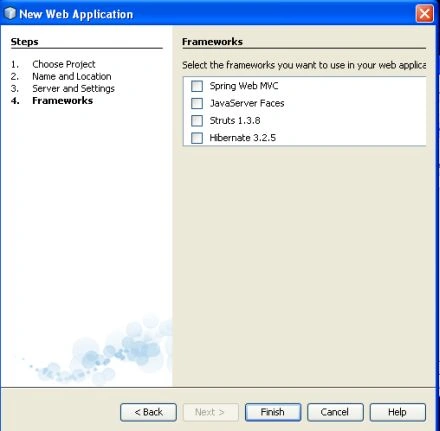
To develop this application we use the following steps.
Step 1: Create a New Project.
In this step we select New Project option from file menu.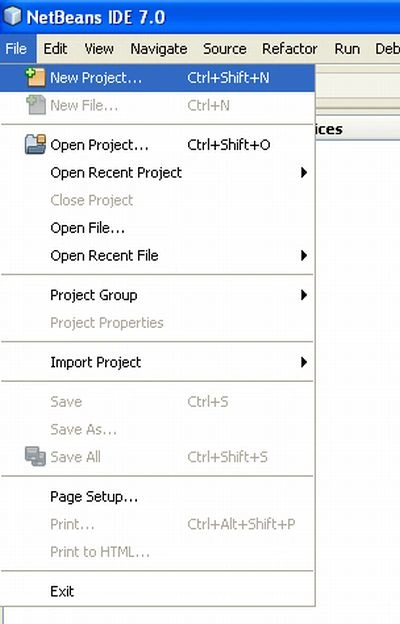
Step 2: Choose Project.
In this step we select web application from Java web option and then click on the next button.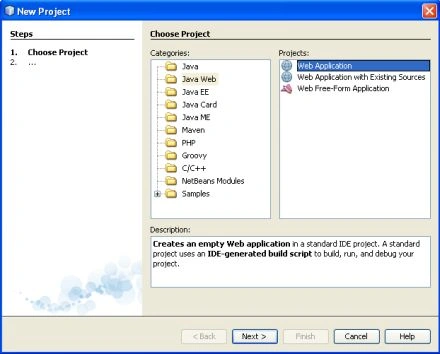
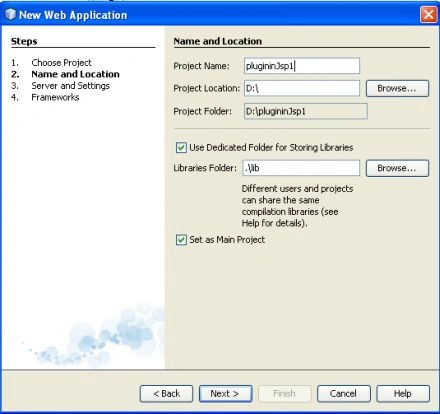
Step 3: Name and Location.
In this step we given it a specific name and set a specific location and click on the next button.
Step 4: Server and Setting.
We select a specific server for this application and click on the next button.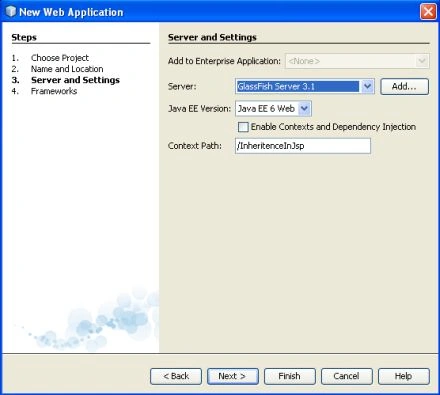

SubashPosted Sep 19, 2016, 8:53 AM
Thanks for sharing sir