

This is a series of articles related to a Web API that is registered on Azure Identity Platform, and consumed over there.
- Web API in Azure (1), Register an application
- Web API in Azure (2), Set a Client Credential Secret --- this article
- Web API in Azure (3), Consume Web API with a Security Token
A - Introduction
In this article, we will describe how to set a new Client Credential Secret in Azure Identity Platform:
- A - Introduction
- B - Implementation
B - Implementation
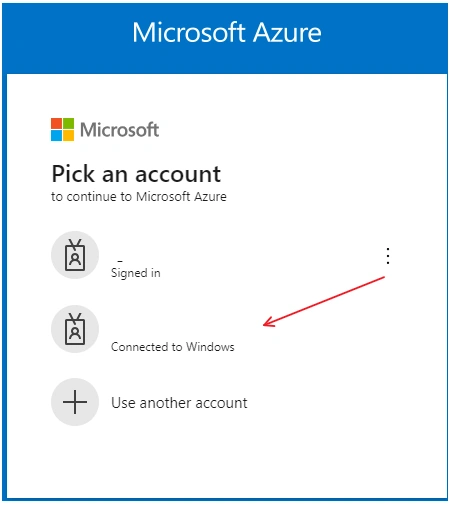
Go to the Azure Admin Portal https://portal.azure.com/#home, login:
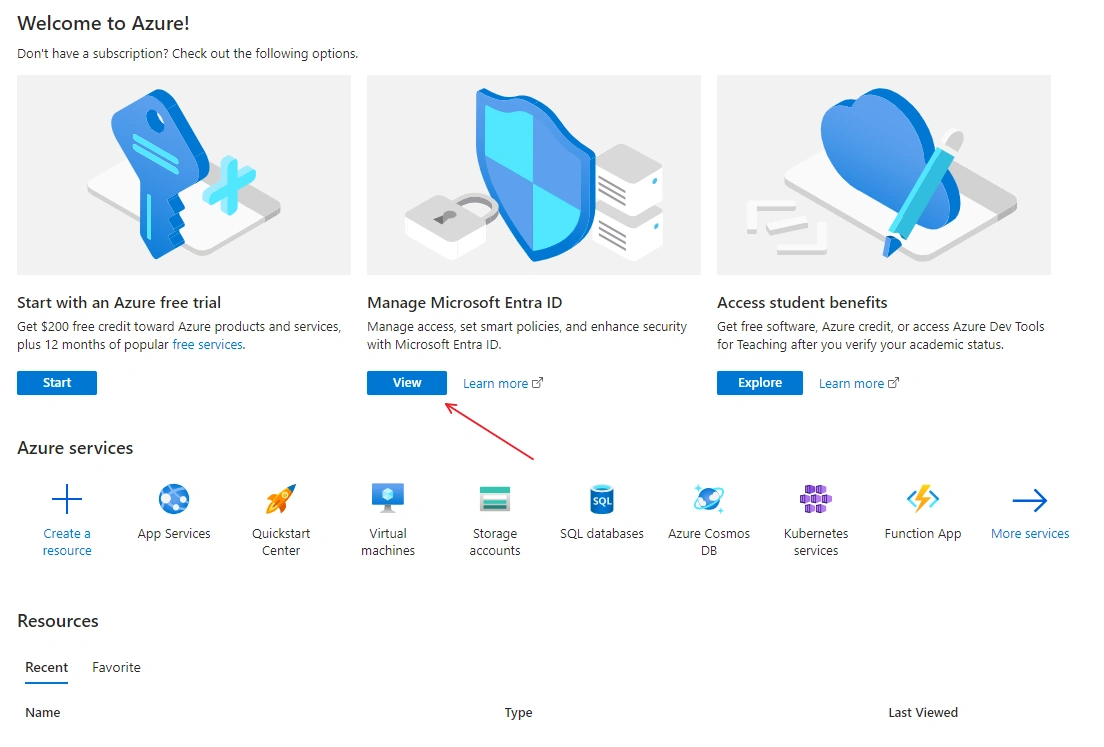
In the Welcome page, Click on View to manage Microsoft Extra ID (used to be Azure Active Directory)
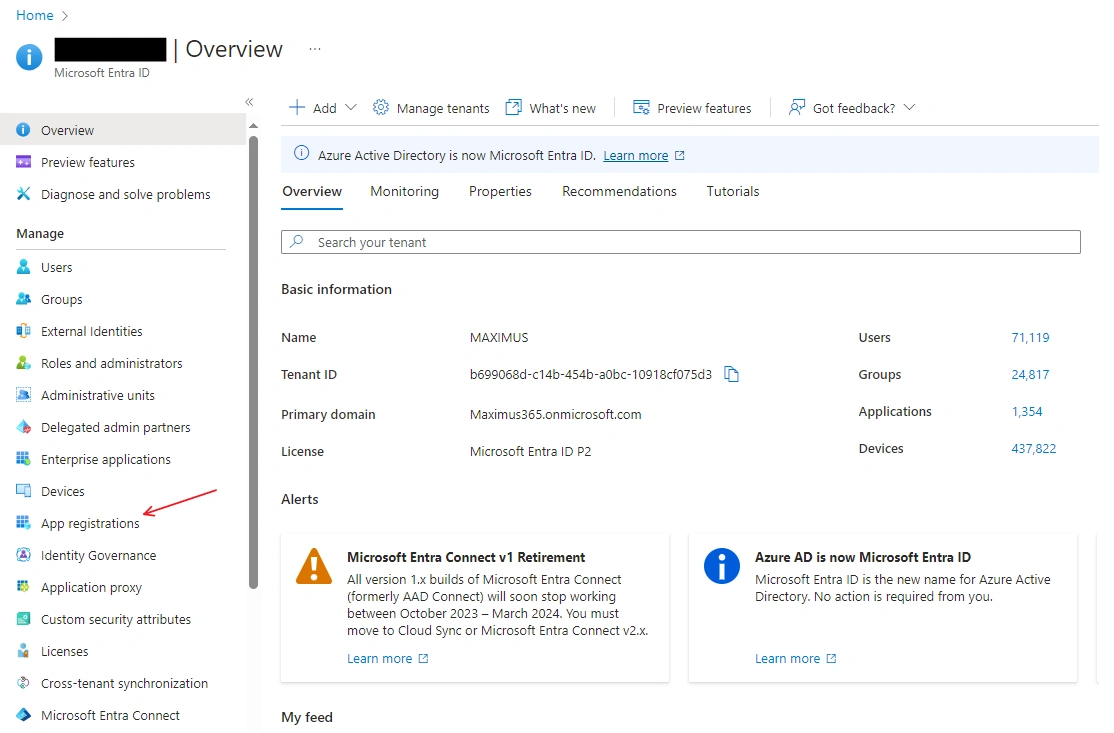
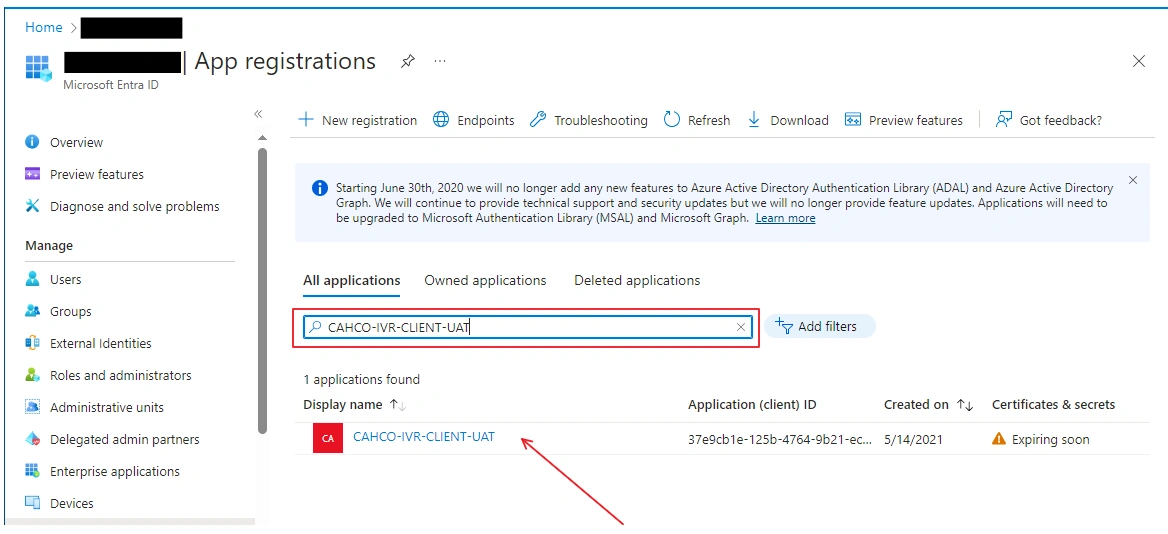
Select App Registration in the left Panel
Choose App:
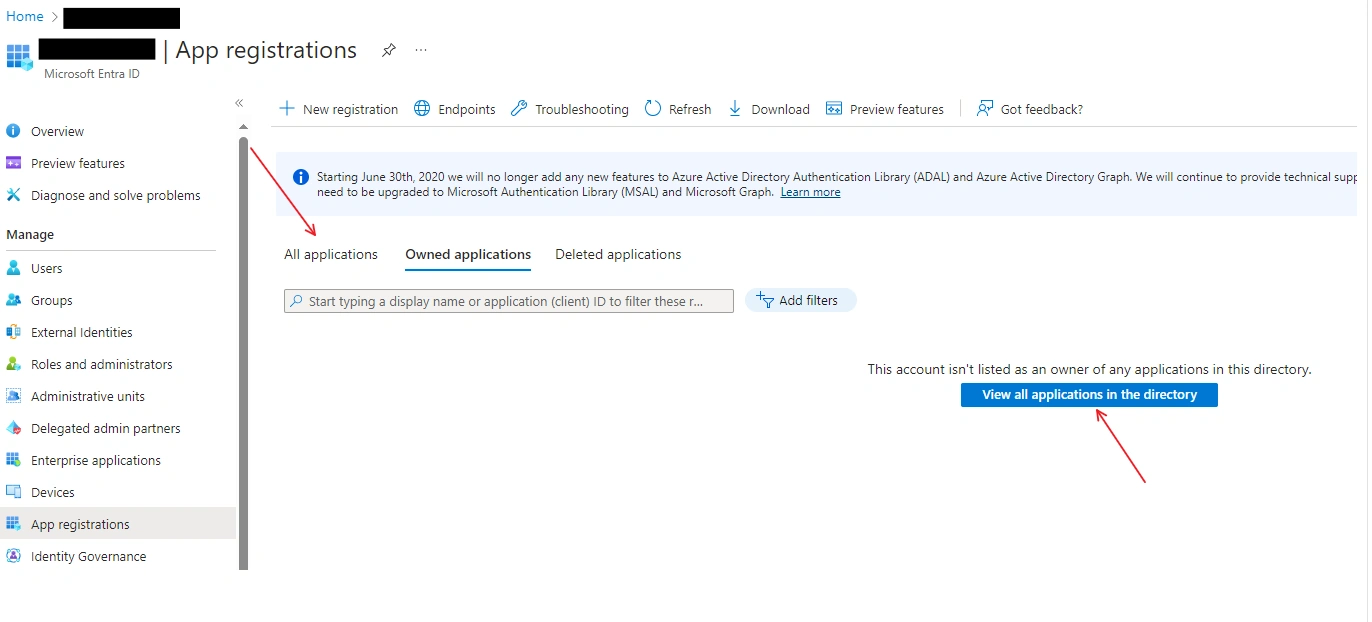
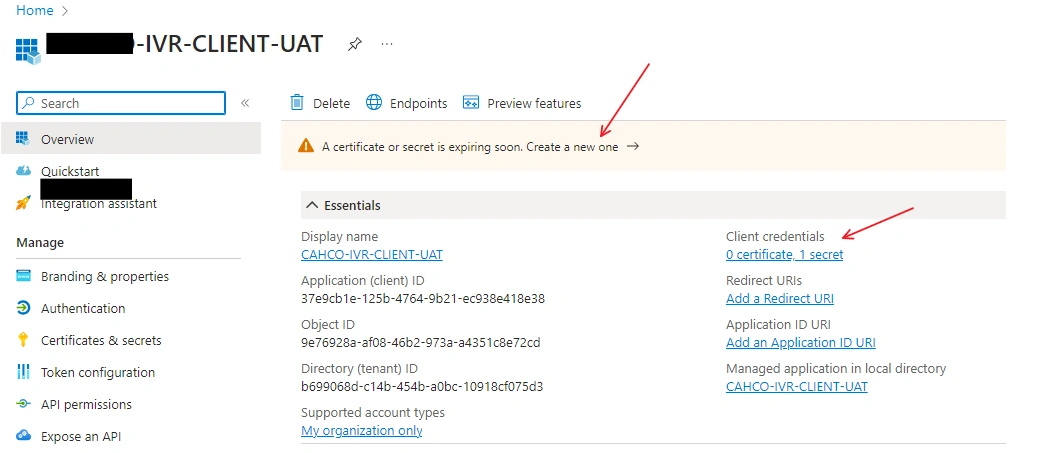
Click App, such as
Click on Certificates & Secrets
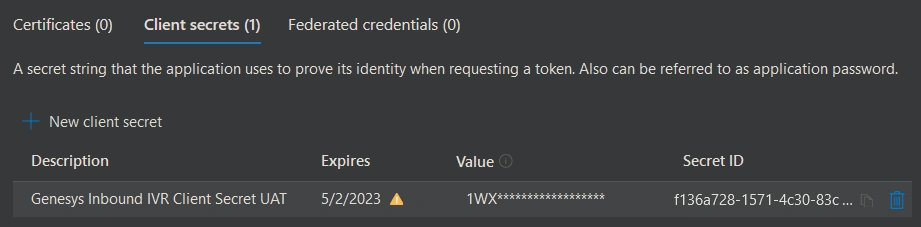
Azure will display the existing secrets, expiration dates
Click on the New Client Secret:
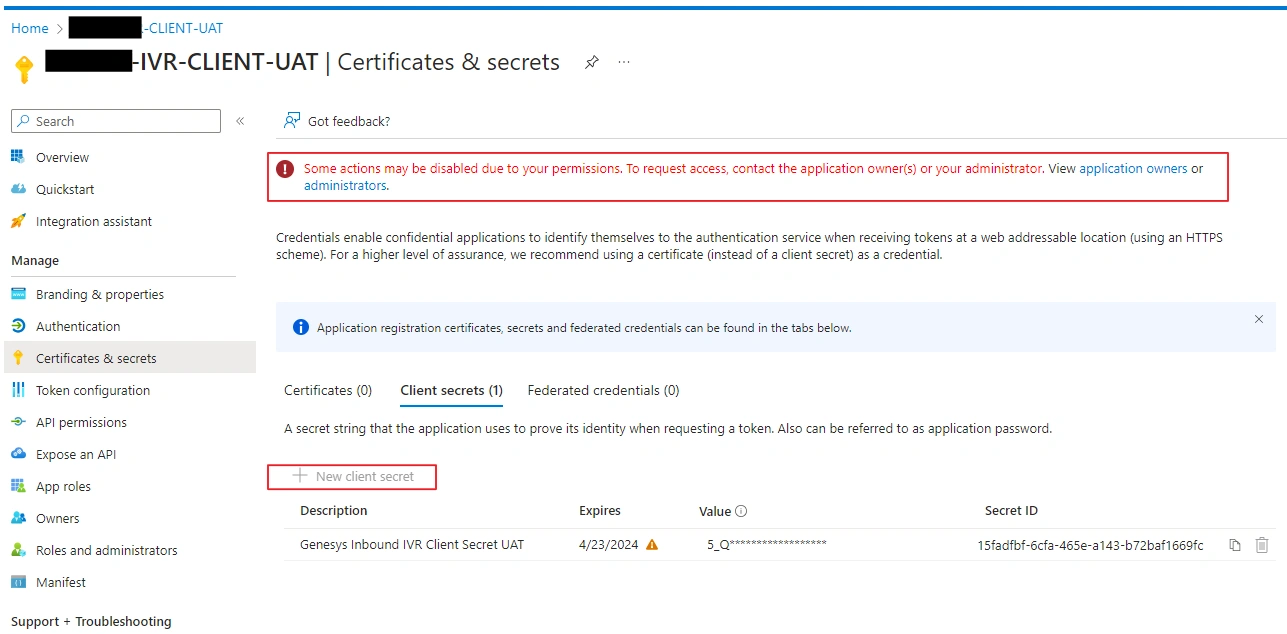
Add a Client Secret:
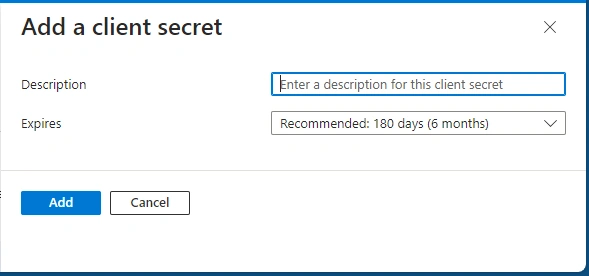
Click Add to create the new client secret,

References:
- Call an ASP.NET Core web API with cURL - Microsoft identity platform | Microsoft Learn
- Protected web API app registration - Microsoft identity platform | Microsoft Learn
- Register a web API that calls web APIs - Microsoft identity platform | Microsoft Learn
- Quickstart: Register an app in the Microsoft identity platform - Microsoft identity platform | Microsoft Learn
Join the conversation! Your thoughts help the community grow.