
I have a Power BI Pro licnese on my account.
We have a workspace assigned to a Fabric capacity wherein there are some lakehouses and fabric arehouses already created.
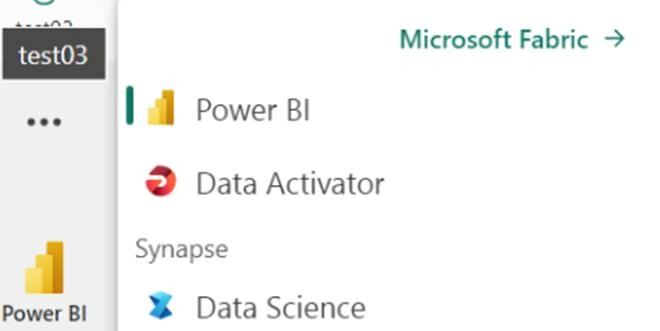
I have been added as an admin in the workspace but I am still not able to see any other experience other than Power BI and not able to create any lakehouse/data pieplines etc
Nandan HegdePosted Jun 10, 2024, 11:18 AM
Below can also be the scenario wherein the admin portal settings might have been disabled for the user:
Jithu ThomasPosted Jun 8, 2024, 6:21 AM
Verify Permissions:
Ensure that you have the correct permissions in the workspace. Even if you are an admin, sometimes permissions might not propagate correctly.
Go to the workspace in Power BI.
Click on the "Settings" gear icon.
Select "Permissions."
Ensure you are listed as an admin or have the necessary permissions to access Fabric experiences.
Check Workspace Settings:
Ensure the workspace is correctly configured to utilize Fabric capabilities.
Navigate to the workspace settings.
Under "Settings," look for options related to Fabric and ensure they are enabled.
Capacity Assignment:
Confirm that the workspace is correctly assigned to a Fabric capacity.
Go to the admin portal.
Navigate to "Capacity settings."
Ensure the workspace is assigned to a Fabric capacity.
License and Entitlement:
Even though you have a Power BI Pro license, ensure that you have the necessary entitlements for Fabric. Fabric may require additional entitlements or specific configurations.
Access via Fabric Portal:
Sometimes, accessing the Fabric-specific features might require going through the Fabric portal directly.
Try accessing Fabric via the direct Fabric URL provided by your organization or through the Microsoft 365 admin center.
Browser Cache and Cookies:
Occasionally, browser cache and cookies can cause issues with loading features.
Clear your browser cache and cookies.
Try accessing the workspace again.
Microsoft Support:
If all the above steps fail, there might be an issue with your account setup or a bug that needs to be addressed by Microsoft support.