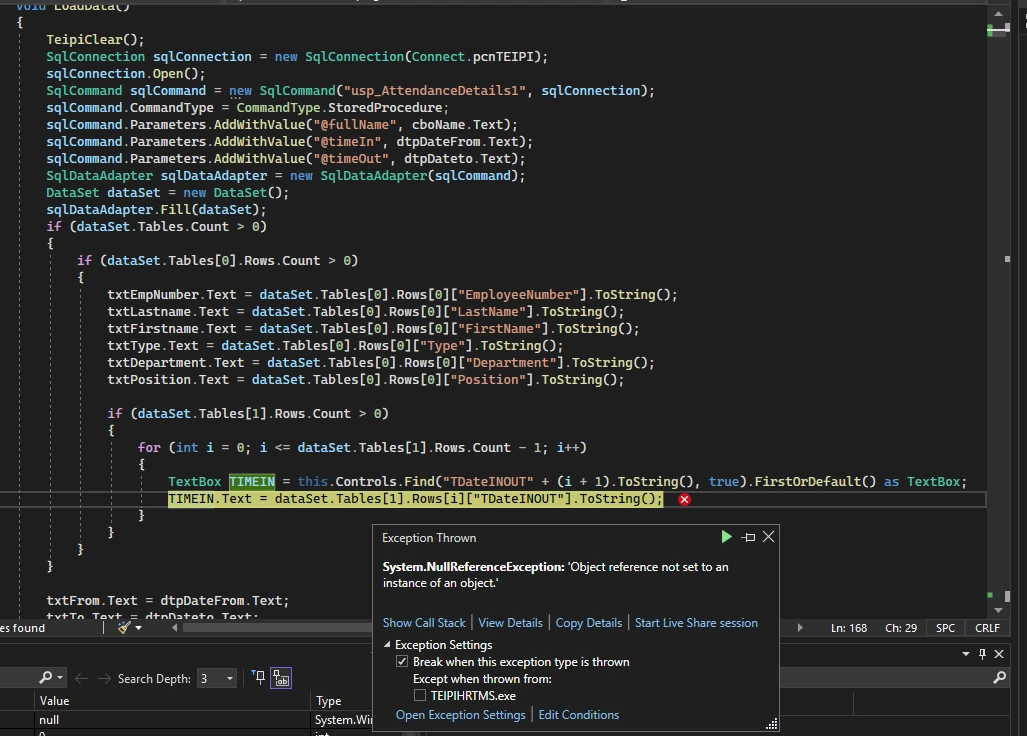
Good day guys can you help me, I have this error called Object reference not set to an instance of an object in my code. here is the code.
Also this is the winforms
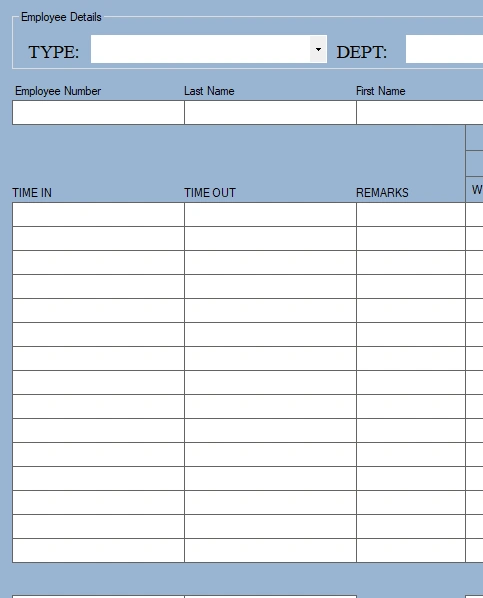
I want the data to fill in the textboxes.
This is the data

and this is my procedure
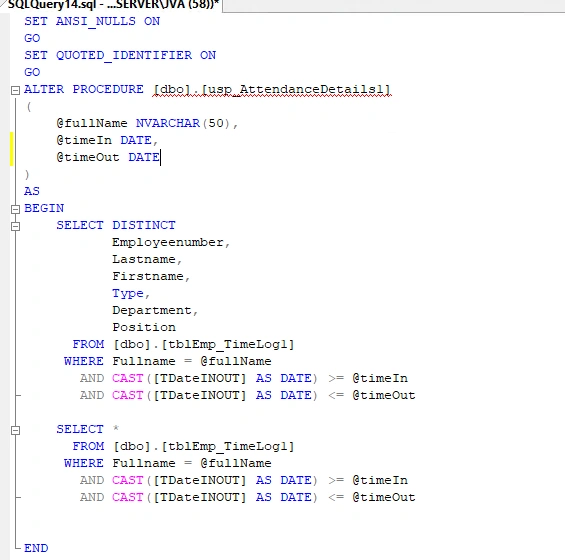
this code is actually from my previous questions I have to change because of some circumstances.
It actually work once but the other day when I want to try it, it is not working I'm sorry.
Tuhin PaulPosted Apr 18, 2023, 7:13 AM
There seems to be a typo in the code. In the if block, DBNull.Value is being compared with the value variable using the equality operator (==), which will always return false. Instead, it should be checked for inequality with the value variable.
TdateInOut column name is misspelled in the code snippet. It should match the correct column name in the dataset.
JC BalloPosted Apr 19, 2023, 2:42 AM
Tuhin Paul it works but I also have to change some but all in all it works
JC BalloPosted Apr 18, 2023, 11:48 PM
Hello Sir. Tuhin Paul
I tried your codes and still the error persist and when I look at the TIME.text the output is still null.
PS: I changed the text only because I changed all the textboxes into TIME1.text to TIME30.
JC BalloPosted Apr 17, 2023, 9:09 AM
Hello Sir. Jignesh Kumar the codes work but there is no data in the textboxes
Jignesh KumarPosted Apr 17, 2023, 7:09 AM
Hi JC,
I am able to see the column "TDateINOut" in your data set, Can you please put debugger in you code and check Table[1]. you are getting this column or not ?
JC BalloPosted Apr 17, 2023, 5:56 AM
Hello Sir. Jignesh Kumar I tried using your codes but still not working.
Jignesh KumarPosted Apr 17, 2023, 3:45 AM
Hello,
You are trying to cast null value due to that you are getting this error. Please do null check before convert to tostring(),
or