
Hello everyone, I'm trying to open a table, but I received this error:
Msg 512, Level 16, State 1, Line 1
Subquery returned more than 1 value. This is not permitted when the subquery follows =, !=, <, <= , >, >= or when the subquery is used as an expression.
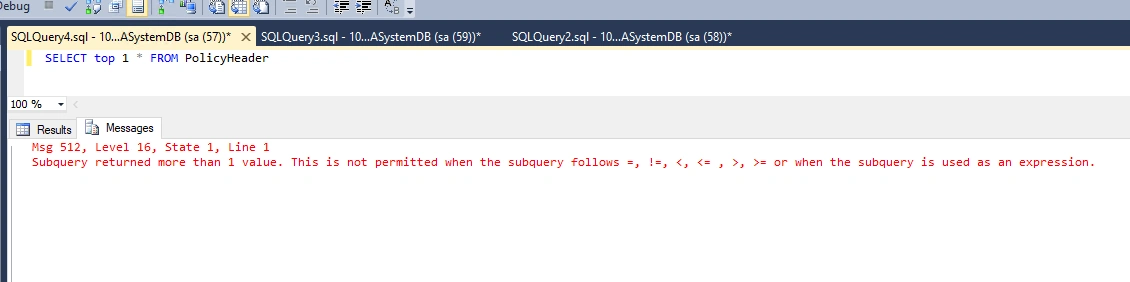
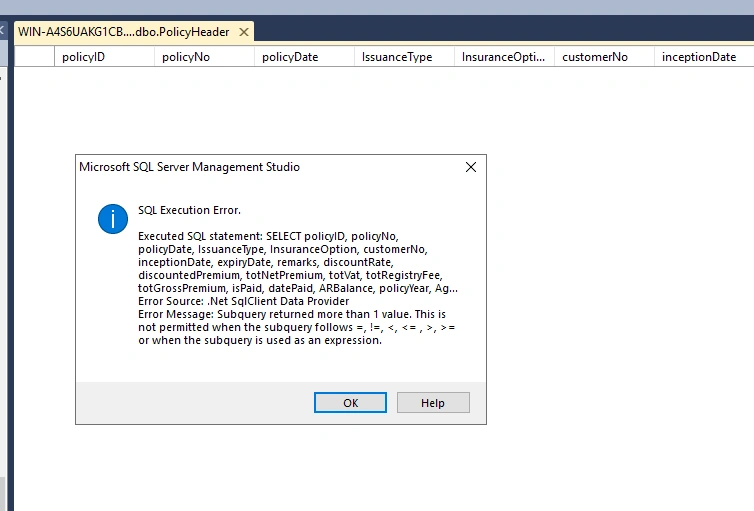
I hope someone can guide me on how to resolve this. Thank you so much.
Naimish MakwanaPosted Apr 23, 2024, 8:23 AM
The query you’re running seems straightforward and it shouldn’t typically result in the error you’re seeing. The
SELECT TOP 1 * FROM policyheaderquery should return the first row from thepolicyheadertable.However, if you’re still getting the error, it might be due to one of the following reasons:
Triggers: There might be a trigger on the
policyheadertable that is executing a subquery returning more than one row.Views: If
policyheaderis a view, not a table, then the view definition might include a subquery that is returning more than one row.To debug this, you could check if there are any triggers on the
policyheadertable or ifpolicyheaderis a view with a problematic subquery. You can do this by using thesp_helptextstored procedure for views orsp_helptriggerfor triggers. Here’s how you can use them:These commands will return the definitions of the view or triggers, which you can then inspect for problematic subqueries. If you find such subqueries, you’ll need to modify them to ensure they always return a single value.
Thanks
Naveen KumarPosted May 1, 2024, 9:50 AM
Hello Jes,
Can you post the definition of the PolicyHeader table/view.
If it is a table, check any computed columns or functions are are used to calculate any column values. Ensure the functions return single result set.
If it is a view, check for any subqueries used and the result of it.
Thanks!
Jignesh KumarPosted Apr 23, 2024, 11:11 AM
Hello,
This error prompts when you have a sub query. But in your query window, I am not able to see any sub-query. Could you please try to close all ope window first and then open new window and put you single query,
Jaimin ShethiyaPosted Apr 23, 2024, 9:13 AM
Hello Jes,
Can you double check that is the View on the table? (PolicyHeader)
And if possible, can you double check the view (PolicyHeader), mightbe some place added sub query and it's giving a return more than one row, that's why you face this error.
Thanks
Jes SiePosted Apr 23, 2024, 8:29 AM
Hi Naimish, thanks for the reply.
I ran the query you suggested, and both of them returned null.
Jes SiePosted Apr 23, 2024, 8:24 AM
Hi Kiran, Thanks for the reply.
I tried the query you suggested, but I still received the same error.
Kiran GirasePosted Apr 23, 2024, 8:21 AM
Hi Jes,
Try with where or order by clause
e.g. SELECT TOP 1 * FROM PolicyHeader ORDER BY YourColumnName; or SELECT * FROM PolicyHeader WHERE PolicyID = 'your_policy_id';