
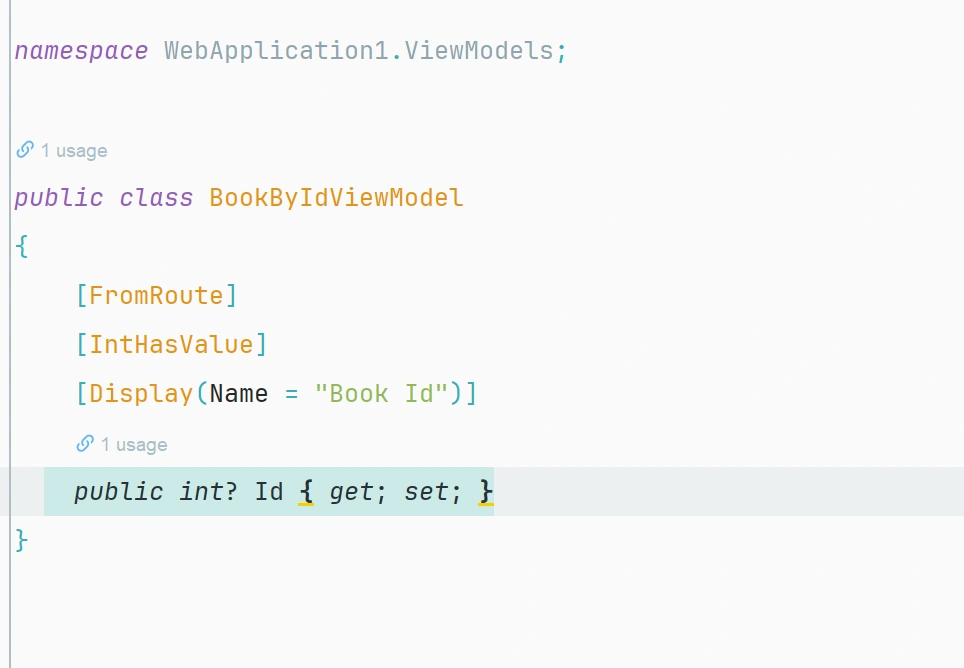
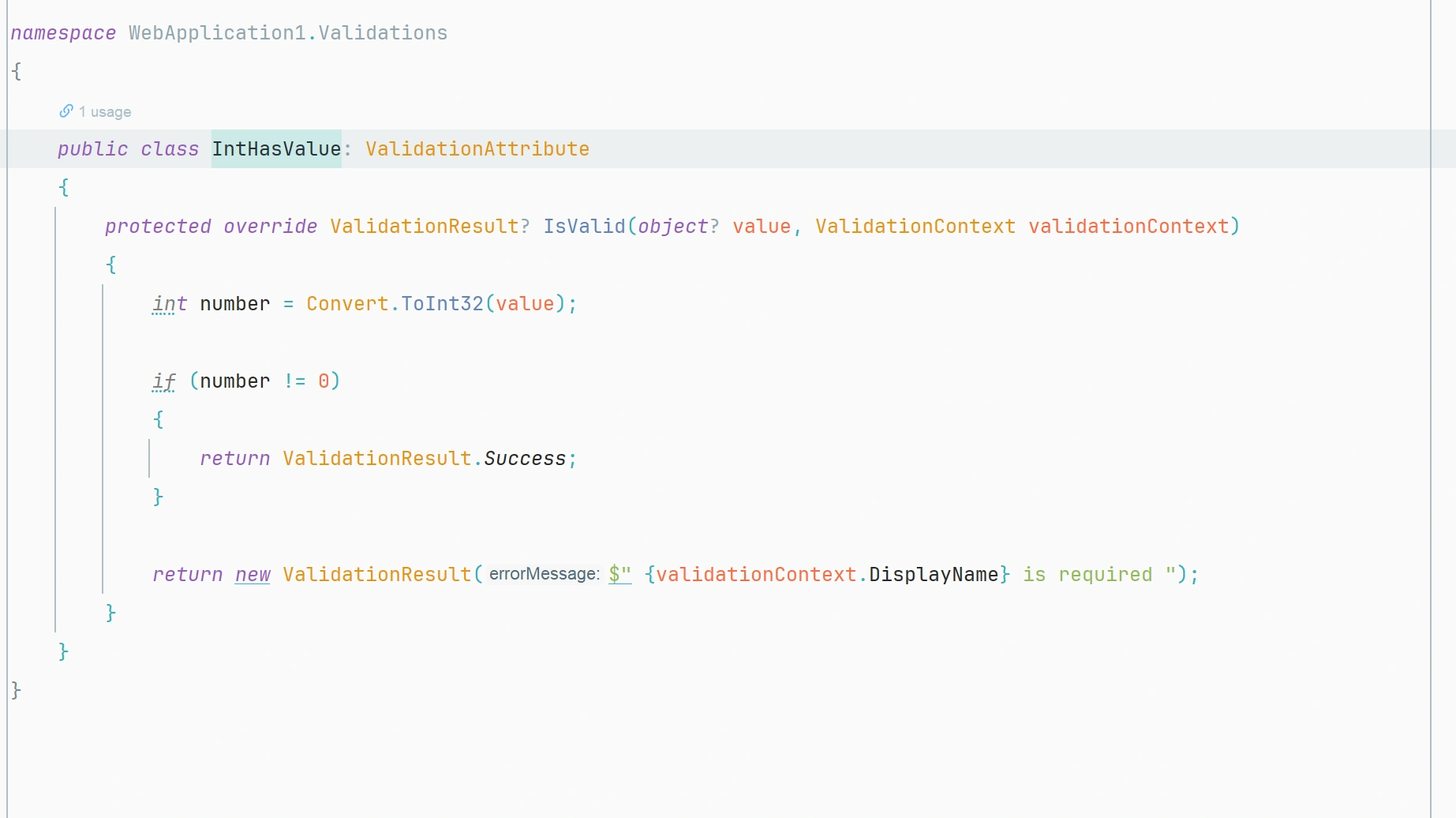
i have a conroller that has route below is the controller the id is supposue to be bounded to the model parameter of the controller action method but i got a warrning in the Route attribute on the Id `ASP0018: Unused route parameter 'Id'` , beside this action is used to show the book with the Id so i used the BookByIDViewModel to validate the id passed is that a good practice (is that correct) below include the controller class and the view model and validation class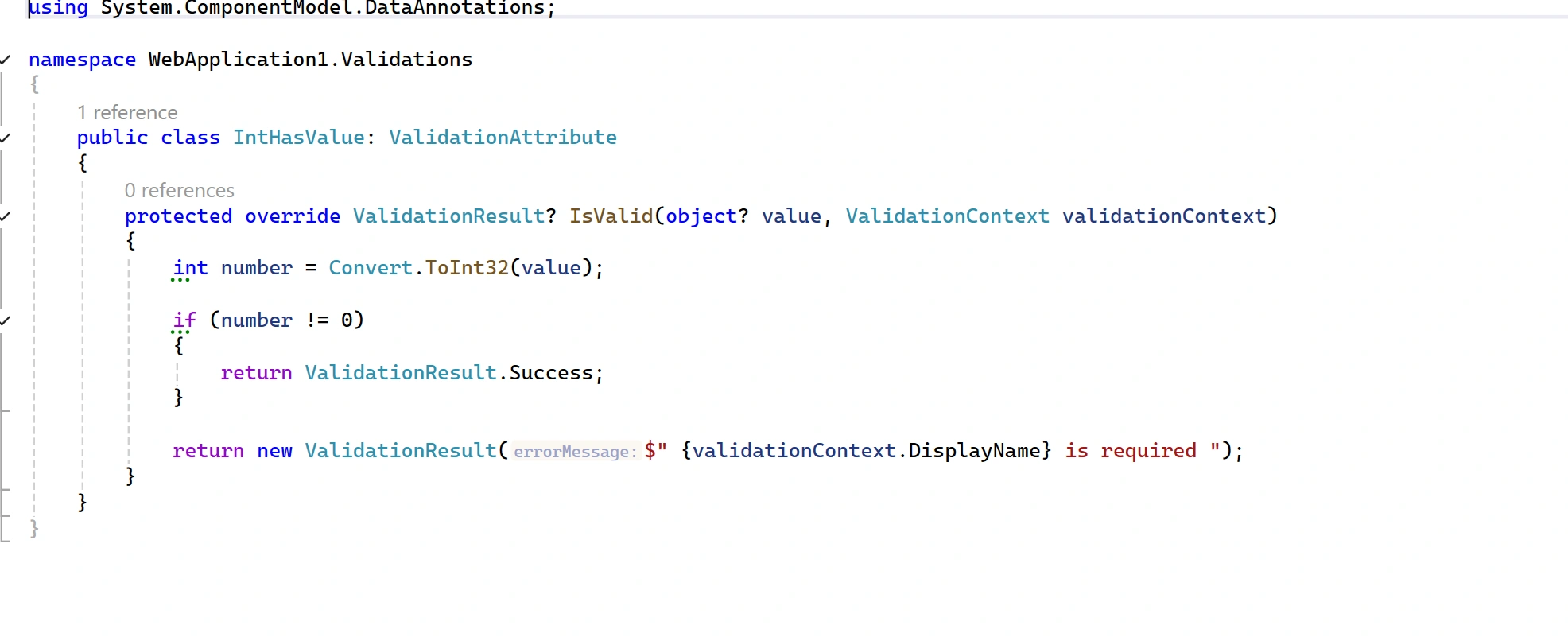
Loading
Sophia CarterPosted Mar 7, 2025, 2:38 PM
It seems like you are encountering an issue with model binding and validation in your controller. Let's break down the problem and explore some possible solutions:
1. Warning Regarding Unused Route Parameter 'Id':
The warning `ASP0018: Unused route parameter 'Id'` suggests that the 'Id' parameter defined in your route is not being utilized within your controller action method. To address this warning, you may need to ensure that the 'Id' parameter is being properly bound to the corresponding model parameter in your action method for it to be considered as used.
2. Usage of BookByIDViewModel for Validating ID:
It's a good practice to use a view model like BookByIDViewModel to validate the 'Id' parameter passed to your action method. By using a specific view model for this purpose, you can encapsulate the validation logic related to the 'Id' parameter in one place, making your code more organized and maintainable.
3. Possible Solution:
To ensure that the 'Id' parameter is correctly bound to the model parameter in your action method, you may need to adjust your controller code. Make sure that the 'Id' parameter in your route matches the parameter name in your action method signature.
Here's an example illustrating how you can modify your controller action method:
By following this approach, you can ensure that the 'Id' parameter is correctly bound and validate using the BookByIDViewModel within your action method.
If you continue to face any issues or need further assistance, feel free to provide more details or code snippets for a more in-depth analysis. Hope this helps in addressing the problem you are currently facing with model binding and validation in your ASP.NET Core application.
Tuhin PaulPosted Mar 7, 2025, 8:30 PM
High level overview:

Tuhin PaulPosted Mar 7, 2025, 8:29 PM
Route Parameter Usage: The
Idparameter in the route template{Id}should be used in the action method. In the example, theIdis bound to theBookByIdViewModelmodel, which is then used in the method.Validation: The
InthisValueattribute ensures that theIdis not zero. This is a good practice to validate input data before processing it.Model Binding: The
[FromRoute]attribute ensures that theIdis bound from the route. TheBookByIdViewModelis used to encapsulate the route parameter and apply validation.Best Practices
Validation: Using a validation attribute like
InthisValueis a good practice to ensure that the input data meets certain criteria before processing.Model Binding: Using a view model to encapsulate route parameters and apply validation is a clean and maintainable approach.
Route Parameter: Ensure that the route parameter is used in the action method to avoid warnings. In the example, the
Idis used within theFetchBookByIdmethod.Tuhin PaulPosted Mar 7, 2025, 8:28 PM
The warning
ASP0018: Unused route parameter 'Id'indicates that the route parameterIdis defined in the route template but is not being used in the action method. This can happen if the parameter is not explicitly declared in the method signature or if it is not being used within the method body.Controller Example
Here is an example of how your controller might look:
ViewModel Example
Here is the
BookByIdViewModel:Validation Attribute Example
Here is the
InthisValuevalidation attribute: