I am currently working on a .NET Core 6.0 Web API solution and encountering an error when attempting to test it using Postman. Despite disabling the proxy and exploring various possibilities, I have been unsuccessful in resolving the issue. Additionally, I have noticed that the breakpoint does not hit the controller, and this error occurs beforehand. It is worth mentioning that I am running the API on port 8080, as indicated in the console when the .NET Core application is executed.
I would greatly appreciate any guidance or suggestions on how to troubleshoot and resolve this problem. Thank you in advance for your assistance. below is my reponse
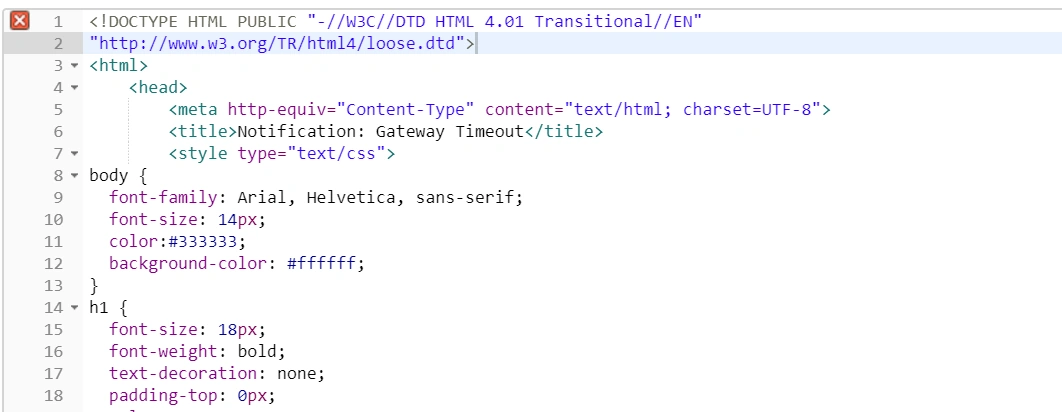
my .net core controller and postman
Prasad RaveendranPosted Sep 3, 2023, 6:54 PM
I assume you are passing the Entitilement inside the Header. Could you please check whether you run in debug mode or release mode.
Jaimin ShethiyaPosted Aug 31, 2023, 11:24 AM
Hello Sujeet,
Please follow the below steps:
API controller
Run the application.
Below is the request in the postman and it's working as expected.
curl --location 'https://localhost:7051/api/Values' \
--header 'Content-Type: application/json' \
--data '{
"id": "",
"firstName": "Jaimin",
"lastName": "Shethiya",
"mno": 7990233523
}'
Sujeet RamanPosted Jun 26, 2023, 4:46 AM
hi i have to send data as text. so i need to keep the same method format.i tried with text also in postman still controller not hitting the break point.For testing i also changed method and tried with json.no break point hit happening
Sujeet RamanPosted Jun 24, 2023, 5:09 AM
i have tried with both ways but still controller not getting hitted.both i am getting response like
i have disabled all proxy from postman
my requirment is send data in the form of plain/text format not json.so i need to keep this method as it is.
below i my start up class if you want to check
Ravi PatelPosted Jun 24, 2023, 4:46 AM
Hi Sujeet Raman,
by seeing your controller code
public async Task> SaveRoom([FromBody] string roomData){}
accepting as string not as model class
but from postman you are passing json format
two things you can try
Mayooran NavamanyPosted Jun 23, 2023, 10:50 AM
What do you get an error message from post-man and Error Status 404 or 403
can you try this
http://localhost::8080/api/saveRoom
Sujeet RamanPosted Jun 23, 2023, 10:37 AM
break point also not hitting to the controller method.dont understand why
Sujeet RamanPosted Jun 23, 2023, 10:36 AM
below is my controller code
when i run the application a comman prompt from .net core coming and displaying
[16:01:29 INF] Now listening on: http://[::]:8080
[16:01:29 INF] Application started. Press Ctrl+C to shut down.
[16:01:29 INF] Hosting environment: Development
[16:01:29 INF] Content root path: C:\my_learn\WebAppApi
Mayooran NavamanyPosted Jun 23, 2023, 10:28 AM
I think you did not attach the correct file here, Please attach the controller code with the endpoint, We can fix this
Vijay Pratap SinghPosted Jun 23, 2023, 8:35 AM
Please send the controller code and the endpoint you hit in postman.