I want to replace a person's picture in a certain folder with a new one using Selenium. How can I select the picture according to the person's information by pressing the upload button under the picture and replace it with a new one? In my codes, it constantly clicks on the upload button and does not upload by selecting the image.
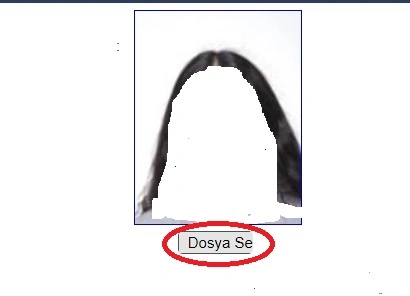
var FilePath = System.Windows.Forms.Application.StartupPath + "\\resimler\\ " + jpgname + ".jpg";
Actions actions = new Actions(drv);
WebElement uploadPhotoBtn = (WebElement)drv.FindElement(By.XPath("//*[@id=\"flResimSec\"]"));
actions.MoveToElement(uploadPhotoBtn).Click().Perform();
Naimish MakwanaPosted Jan 10, 2024, 10:02 AM
You can close window using below code.
Thanks
Mehmet FatihPosted Jan 10, 2024, 3:33 PM
Thans for your helps Naimish. I am gratful to you.
Mehmet FatihPosted Jan 10, 2024, 11:31 AM
I am sorry to say that the last code is not working. Window is not closing.
Mehmet FatihPosted Jan 10, 2024, 9:57 AM
Thanks Naimish. Everything works fine except something.Everything works fine except one thing. When you press the upload button, the file selection window does not close. How do we make it close after uploading a file?
Naimish MakwanaPosted Jan 10, 2024, 9:43 AM
The issue you’re experiencing might be due to the way Selenium interacts with the file upload dialog. Selenium is designed to interact with web elements, and the file upload dialog is a part of the operating system’s user interface, not the web page1.
When you use
SendKeysto send the file path to the file input element, Selenium should handle the file selection dialog for you1. It means that Selenium automatically fills the file path in the dialog and submits the form, without needing to click the “Open” button in the file dialog1.If the file dialog is not being handled correctly, it could be due to a few reasons:
Timing issue: The script might be running too fast and not waiting for the file dialog to open before it tries to interact with it2. You can try adding a delay or wait for the file input element to be visible and enabled before sending the file path.
Incorrect file path: Ensure that the file path you’re providing is correct and the file exists at that location.
Web page implementation: Depending on how the web page is implemented, you may need to trigger the file dialog differently3. For example, some websites might require you to click on the file input element, while others might require you to click on a separate button4.
Mehmet FatihPosted Jan 10, 2024, 9:20 AM
Thanks for your intrest, Naimish. I tried your codes. However, after clicking the upload button, it does not click on the open button by selecting the file name and path. What is the reason of this?
Naimish MakwanaPosted Jan 10, 2024, 8:33 AM
The error you’re seeing is because the
Untilmethod is expected to return anIWebElement, but the lambda expressiondrv => drv.FindElement(By.XPath("//input[@type='file']")).Displayedis returning abool.You should modify the line to wait until the element is displayed, and then return the
IWebElement. Here’s the corrected line of code:In this code, we’re using a lambda expression that checks if the element is displayed. If it is, it returns the element; otherwise, it throws a
NoSuchElementException. This ensures that theUntilmethod will wait until the element is both found and displayed, and then return theIWebElement. This should resolve the error you were facing.Mehmet FatihPosted Jan 10, 2024, 8:21 AM
Thans Naimish. I have tried your modified code. But I am getting an error like this in this line.
IWebElement fileInput = wait.Until(drv => drv.FindElement(By.XPath("//input[@type='file']")).Displayed);
Error CS0029 'bool' türü örtülü olarak 'OpenQA.Selenium.IWebElement' türüne dönüstürülemez (CS0029 Cannot implicitly convert type 'bool' to type 'OpenQA.Selenium.IWebElement')
Naimish MakwanaPosted Jan 10, 2024, 7:51 AM
The errors you’re encountering are likely due to changes in the Selenium library.
SeleniumExtras: The
SeleniumExtraspackage is not .NET Core compliant1. You can replace the usage ofSeleniumExtras.WaitHelperswithOpenQA.Selenium.Support.UI1.ExpectedConditions.ElementIsVisible: The
ExpectedConditionsclass has been marked as obsolete and may have been removed2. You can replaceExpectedConditions.ElementIsVisiblewith a custom function or useDotNetSeleniumExtras.WaitHelpers23.Here’s an updated version of your code snippet:
In this updated code, we use a lambda expression to check if the element is displayed instead of using
ExpectedConditions.ElementIsVisible. This should resolve the issues you were facing.Mehmet FatihPosted Jan 10, 2024, 7:23 AM
Thanks Jayraj. Your code is very close to the solution. But I am getting two errors in the following words. What is the reason?
SeleniumExtras.
ExpectedConditions.ElementIsVisible
Jayraj ChhayaPosted Jan 10, 2024, 6:10 AM
To replace an image on a website using Selenium in C#, you need to ensure that the correct image is selected and uploaded. Based on the code snippet provided, it seems that the issue lies in the way the image file path is being constructed and the way the upload button is being clicked.
Here's an updated code snippet that addresses these issues:
In this updated code, we use
System.IO.Path.Combineto construct the file path, which ensures that the correct file path is generated. We also wait for the file input element to be visible before clearing the existing file path and sending the new file path to it. Finally, we wait for the upload to complete by checking for the presence of an element with the text "Upload Complete".Naimish MakwanaPosted Jan 10, 2024, 4:39 AM
It seems like you’re trying to upload a new image using Selenium. Here’s a way to do it:
First, you need to find the input element that accepts the file upload. This is usually an
element withtype='file'. Once you have this element, you can use thesendKeys()method to send the path of the file you want to upload.Here’s an example of how you can do it:
In this code,
FilePathis the path to the image you want to upload. Make sure the path is correct and the image exists at that location.Please replace
//input[@type='file']with the actual XPath of your file input element. If the upload button is separate from the file input element, you don’t need to click it - sending the file path to the input element should automatically start the upload123.Remember to handle any potential errors and edge cases according to your specific application’s needs. For example, you might want to check if the upload was successful after this operation. If your application displays the uploaded image somewhere, you can check the source of that image element and compare it with the file you uploaded. If they match, the upload was successful. If not, you might need to handle the error and retry the upload or notify the user.
Thanks