
Tried to find the solution but did not find.
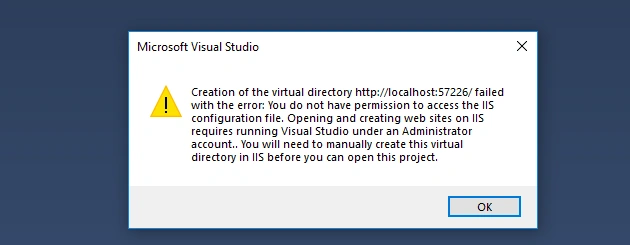
The error is given below when i load the project in visual studio.
The error is given below when i load the project in visual studio.
Kindly provide any solution to this
Thanks in advance.
Thanks in advance.
Metta ChittibabuPosted Jul 4, 2019, 5:43 AM
When we open the existing solution it was throwing the reported error message becuase its try to read one of the config file from below path
HKEY_CURRENT_USER
Microsoft --> Software --> Windows --> Current version --> Explorer --> User Shell Folders --> Personal
Subbarao APosted Jul 4, 2019, 2:48 AM
Amit MohantyPosted Jul 4, 2019, 1:41 AM
Option 1 : Use IIS Express
1.) Open you web project .csproj file as XAML or in notepad.
2.) Find these properties and set according to your preferences.
UseIIS = false
UseIISExpress = true
Or
Option 2 : Use local IIS
Follow the option 1 steps but change the following properties.
UseIIS = true
IISUrl = https://localhost
UseIISExpress = false
Or
Just deleted the folder named .vs in the project directory. Sometimes it worked
Salman BegPosted Jul 3, 2019, 3:23 AM