Hi Team
I need help please basically, when i mapped fine the project on source/foldername/c#.file. When i tried to add this source control keeps default git file repository instead of TFS. I did successfully fine bind the solution but the IDE now not even moving or loading nothing but there are not.gitattribute files under Users\UsernameFolder. What is the next step? This problem consume my production time today, need many options i could easily apply to resolve this asap. Because i now cant commit any of code changes
Prasad RaveendranPosted May 16, 2024, 2:11 AM
Here are some steps and options to troubleshoot and resolve the problem:
Step-by-Step Solutions
Ensure TFS is Installed and Configured:
Tools>Extensions and Updatesand check if "Azure Repos" or "Team Foundation Server" is listed and updated.Disconnect from Git:
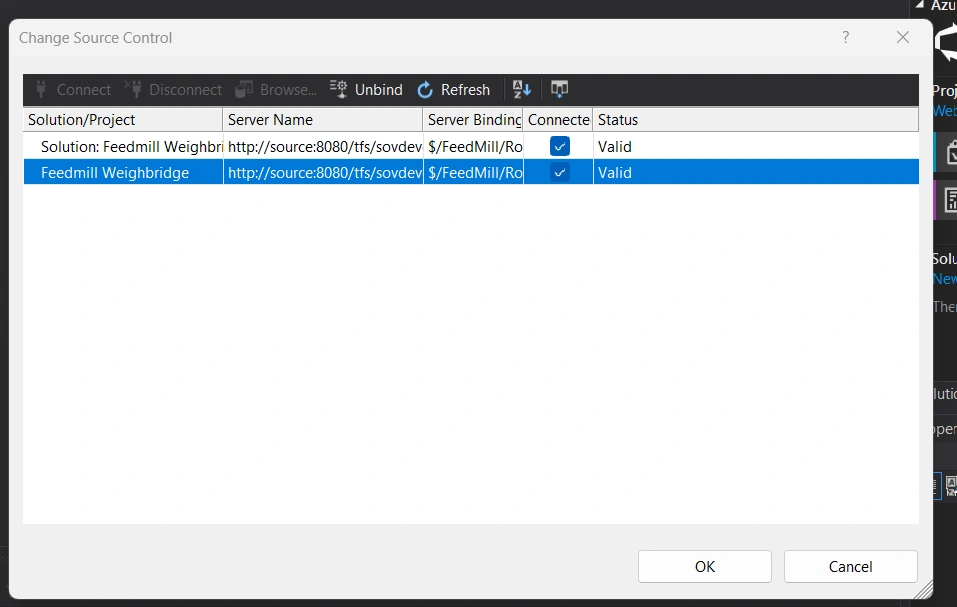
File>Source Control>Advanced>Change Source Control.Remove Git Configuration Files:
.gitdirectories in your project folder or any.gitattributesfiles..gitfolder found in the root of your solution directory. This might be hidden, so make sure to enable "Show hidden files" in your file explorer.Rebind to TFS:
File>Source Control>Advanced>Change Source Controlagain.Team Explorer.Reopen Solution:
Verify Source Control Plug-ins:
Tools>Options>Source Control>Plug-in Selection.Clear TFS Cache:
C:\Users\\AppData\Local\Microsoft\Team Foundation .4.0(or similar version folder) to reset the cache.Command Line Check:
tf workspaceto ensure your workspace is correctly configured.tf workspaces /remove:* /collection:https://your-tfs-server-urlto remove all cached workspaces and start fresh.Alternative Actions
Create a New Workspace:
Team Explorer>Manage Workspaces, create a new workspace, and map your local directory to the TFS project.Check TFS Server Connection:
Review TFS Permissions:
Final Steps
If none of the above solutions work, you might want to:
Restart Visual Studio as Administrator:
Reinstall Visual Studio Components:
By following these steps, you should be able to resolve the issue with source control and get back to your production tasks efficiently.