

Microsoft Flow
Microsoft Flow is a cloud-based service. It allows us to react to an event in one service and do something with the data from that event into another service. The users can build workflows that automatically do some business tasks and processes across applications and services.
It helps us to monitor all our workflow with the help of a great cloud solution called “Microsoft Flow”. Before reading this article, please go through some important articles mentioned below.
- Deep Dive Into Microsoft Flow
- How To Connect OneDrive To Google Drive With Microsoft Flow
- How To Connect Facebook to Twitter With Microsoft Flow
- How To Save Email Attachment From Outlook To Dropbox With Microsoft Flow
- How To Send Notification Via SMS When Dropbox Is Modified With Microsoft Flow
- How To Connect The Outlook Mail To Excel With Microsoft Flow
- How To Save Office 365 Email Attachment To OneDrive With Microsoft Flow
- How To Track Facebook Wall Messages In An Excel Table Using Microsoft Flow
- How To Notify A User Of Newly Submitted Microsoft Forms Response Via Email
- How To Generate Audio For My Facebook Post Using Microsoft Flow
- How To Save Wunderlist Tasks To OneNote Pages Using Microsoft Flow
- How To Change Your Facebook Post In One Language To Repost In Another Lang..
- How To Track Your Work Hours And Work Location Using Microsoft Flow
Connect Twitter and Text Analytics
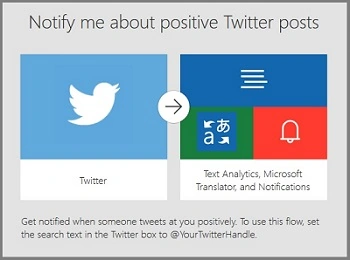
We can track Twitter wall messages and notify me about Positive Posts automatically using Microsoft Translator.
Twitter is an online news and social networking service where users post and interact with messages, "tweets", restricted to 140 characters. Registered users can post tweets, but those who are unregistered can only read them. Login here
Microsoft Azure
Microsoft Azure (formerly Windows Azure) is a cloud computing service created by Microsoft for building, testing, deploying, and managing applications and services through a global network of Microsoft-managed data centers. It provides software as a service (SaaS), platform as a service and infrastructure as a service and supports many different programming languages, tools, and frameworks, including both Microsoft-specific and third-party software and systems. Login Here.
How to create a Microsoft Flow for connecting Twitter and Text Analytics Azure Service
Here, we will connect Twitter and Text Analytics Azure Service.
Prerequisites
- Microsoft Account – Corporate ID.
- Twitter Account.
- Azure Account
Follow the below steps to build a Flow using a template.
Step 1
Login to www.flow.microsoft.com.
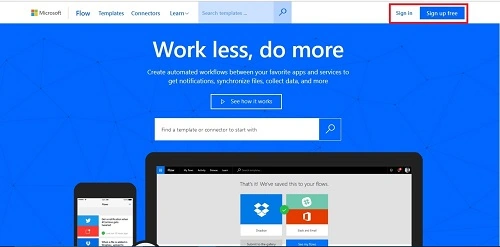
Here is the dashboard.
Step 2
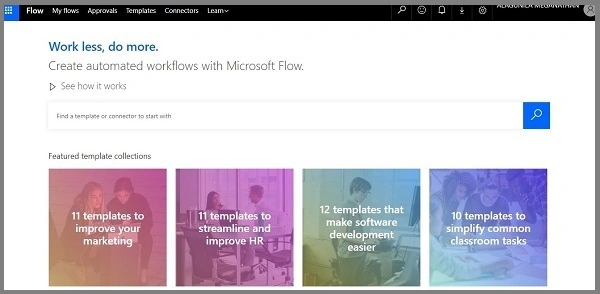
Choose the Templates menu from the menu bar.

Search "Twitter Positive" in the search bar and choose "Notify me about positive Twitter Posts" template.
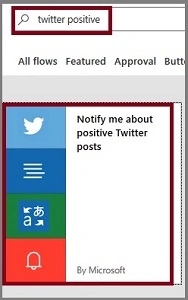
Now, click on the "Use this template" button.
Step 3
Sign in to Free Azure Account.
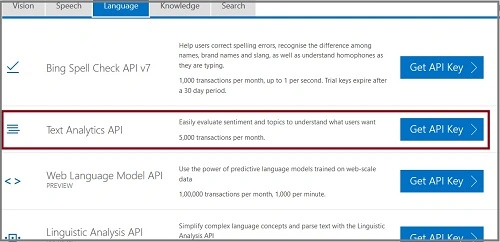
Choose "Text Analytics API" from Language Service and click on "Get API Key".
"
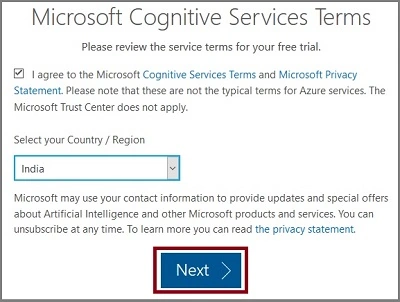
Choose the Region and agree to the terms and conditions.
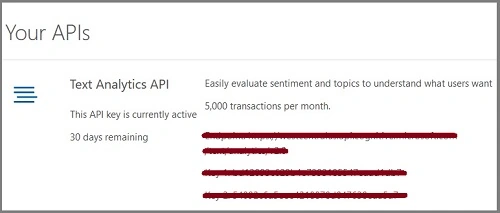
Get your Text API Key and website link.
Paste Account Key and Site URL in Microsoft Flow Website and click on the "Create" button.
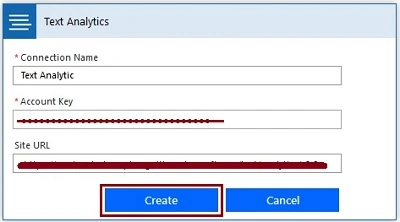
Now, Text Analytics get signed in.

Step 4
Sign into Notifications.

Step 5
Sign into Microsoft Translator.

Step 6
Sign into Twitter account.

Step 7
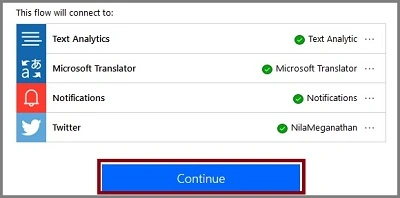
After all of these get configured, click on the "Continue" button.
Step 6
Next, let us configure Twitter and Text Analytics.
- Track the tweet from your Twitter wall (Eg. #Sunday)
- Detect Sentiment in that Tweet
- Compare Sentiment. If its greater than 0.7, it’s a Positive Tweet
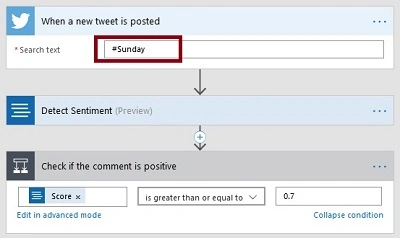
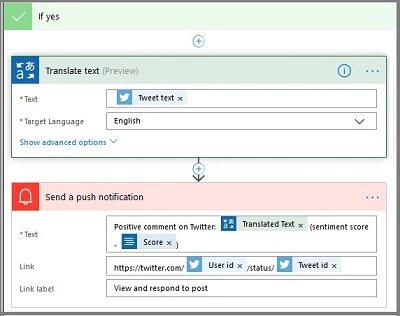
Final Flow should be like this and click on Save Flow
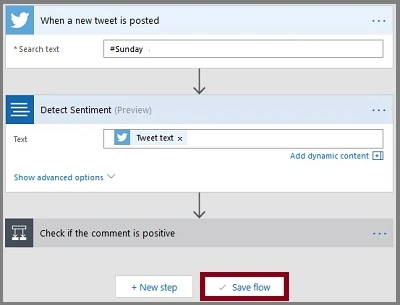
The Flow is created.
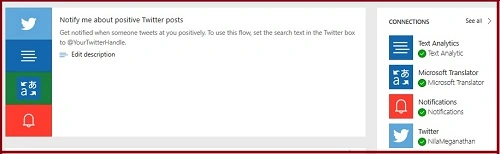
Output
Receive Notification to Microsoft Flow Mobile App.
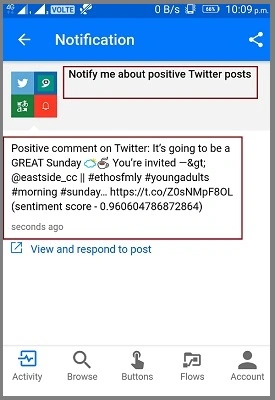
Positive Tweet.

The history of the flow.

Summary
I hope you understood how to Notify me about Positive Twitter posts automatically and how to run that. Stay tuned for more Flow articles.
Rikam PalkarPosted May 18, 2020, 1:28 PM
interesting 🤔
Bharat Bhushan KvPosted May 18, 2020, 11:05 AM
How to get only Twitter Tweets in English Language in my Outlook ? I put condition Twitter Lang equals to 'en' then Outlook mail with all Tweet details without Azure involvement but it seems to not work!
Sriram HariharanPosted Nov 29, 2017, 5:39 AM
Nice to see the power of Text analytics incorporated into Microsoft Flows as well